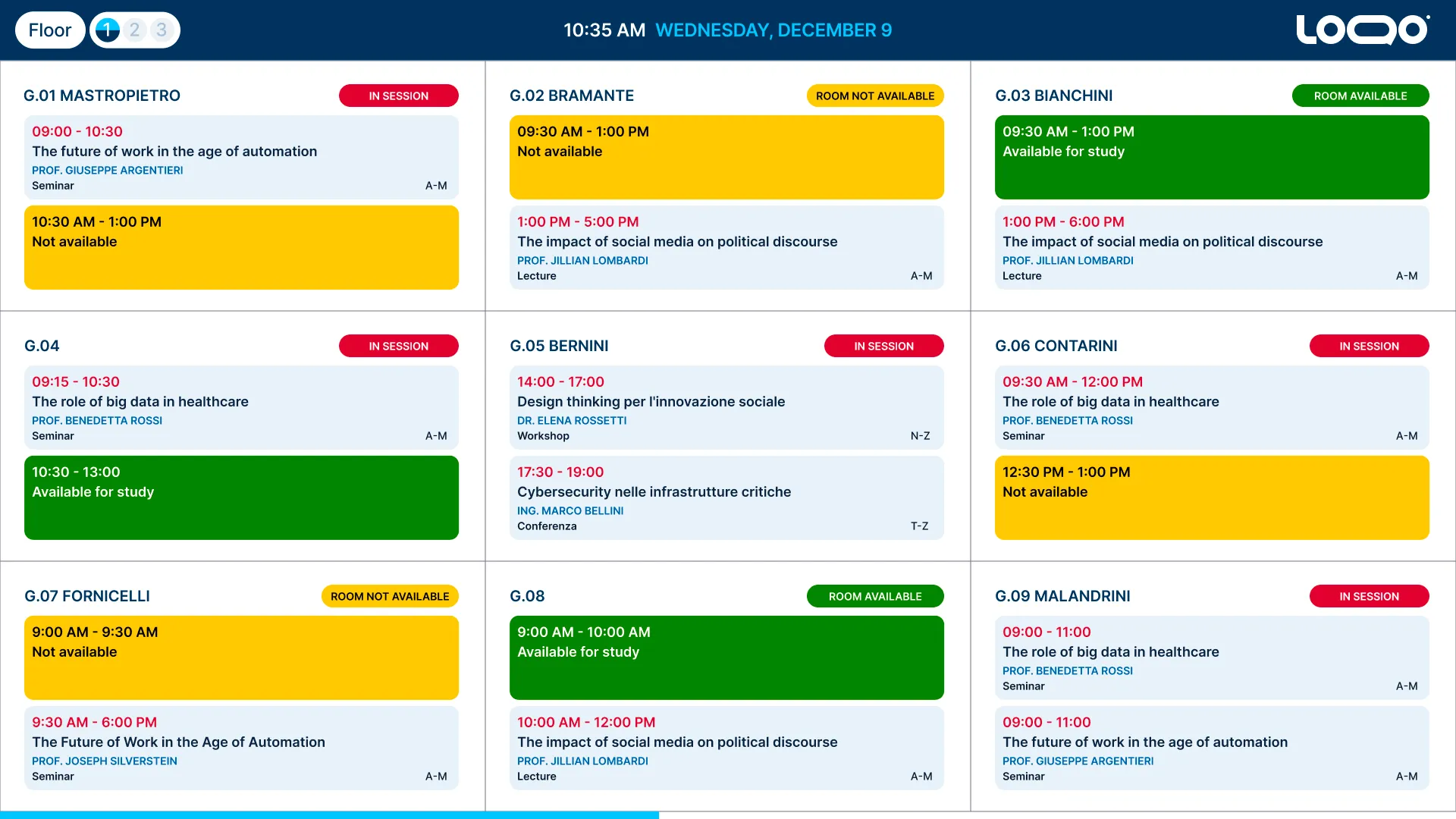
Digital Room Signage Software for Smart Workspace Management

Eliminate booking conflicts and streamline office traffic. Manage single meeting room displays or your entire multi-site corporate network from a single, cloud-based platform with real-time calendar synchronization.
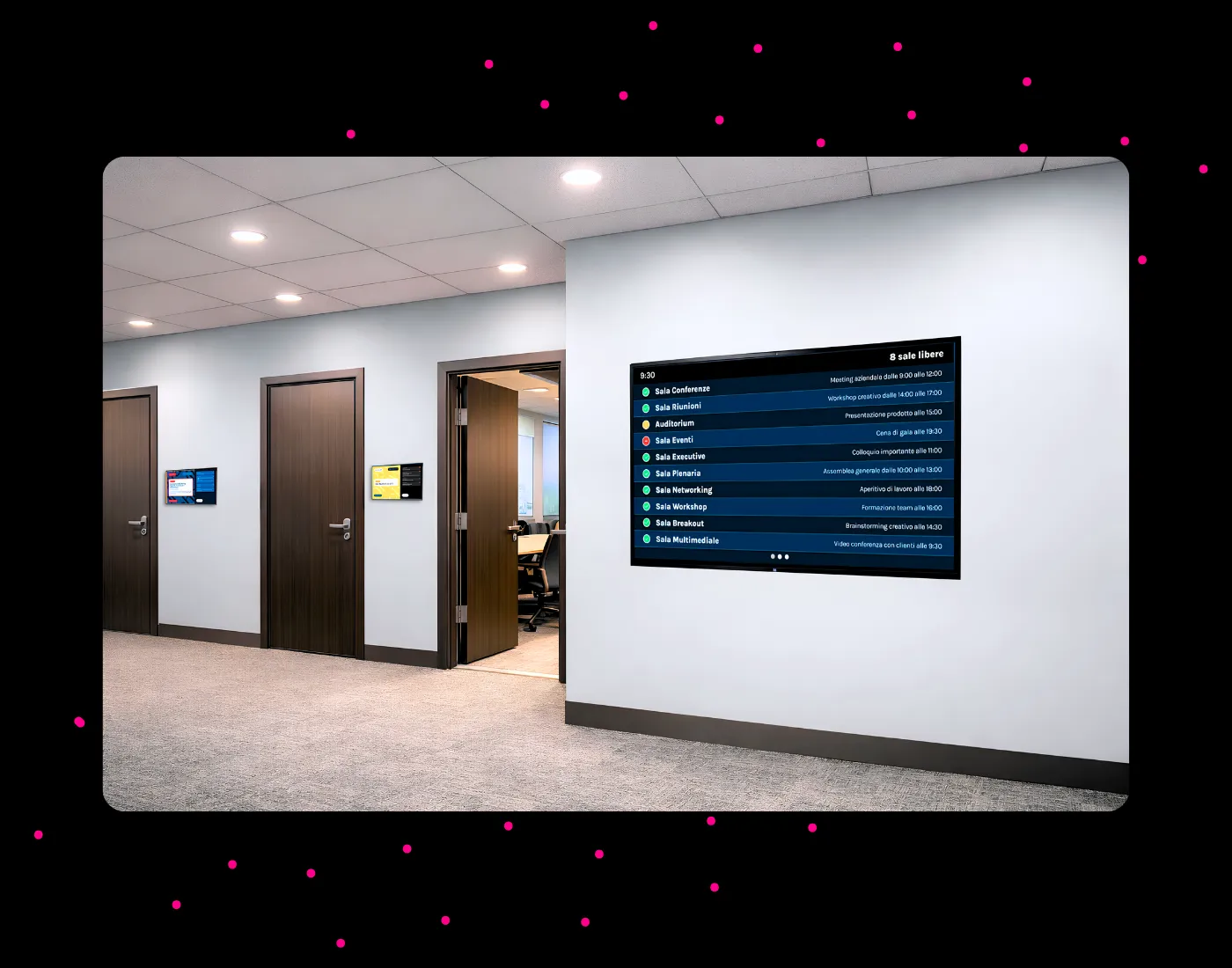

Office corridor with meeting room booking displays and multi-room dashboard panel on the wall
FF Technology - Gruppo Ferrovie dello Stato Italiane logoFosber logoUniversità Cattolica del Sacro Cuore logo

Manage Meeting Rooms
from One Platform

30min

Average time saved per employee per day
when searching for an available meeting room

3+

Calendar integrations supported, including
Google Calendar, Microsoft Outlook and Exchange

What it solves

Live Metting Room check box
Meeting Conflicts. Eliminates room-jacking and schedule confusion with clear, color-coded live statuses at the door.
Live Metting Room check box
No More "Ghost Meetings". Automatically releases rooms when corporate calendar events are changed or canceled.
Live Metting Room check box
Guest & Employee Friction. Reduces internal double-checking, guiding external clients and teams to the right room instantly.
Live Metting Room check box
Zero Manual Maintenance. Replaces outdated paper schedules with immediate, real-time automated updates.

Ideal for

Live Metting Room check box
Corporate Offices: Placed outside boardrooms, huddle rooms, and training spaces to optimize daily workflow and multi-floor traffic.
Live Metting Room check box
Universities & Academies: Outside lecture halls and study rooms to show real-time class schedules, subjects, and professor names.
Live Metting Room check box
Coworking & Shared Hubs: In lobbies or receptions with multi-room dashboards to show all available hot-desks and shared spaces.
Live Metting Room check box
Venues & Event Centers: For strategic wayfinding to coordinate flows events.

Why it's different

Live Metting Room check box
Not a Standalone Sign: It is a native module built into the comprehensive Livesignage ecosystem, not an isolated hardware tablet.
Live Metting Room check box
True Centralized Scalability: Start with a single boardroom display and expand to hundreds of screens globally without changing software.
Live Metting Room check box
Total Hardware Freedom: Runs smoothly on touch/non-touch screens, vertical/horizontal layouts, and low-power ePaper displays.
Live Metting Room check box
Modular Infrastructure: Effortlessly add Corporate Signage, Wayfinding, or Queue Management from the exact same central dashboard.

Choose Your Meeting Room Display:
Total Installation Freedom

No hardware lock-in: choose the best display solution to fit
your space, budget, and desired office experience.

Icon touch and non-touch displays for meeting room booking screen

Touch & Non-Touch Displays

Perfect for displaying live room availability, ongoing sessions, and upcoming meetings. On touch-enabled hardware, it unlocks seamless on-the-spot interactions like instant room booking directly from the screen.

Icon portrait and landscape layout for meeting room display

Portrait & Landscape Layouts

Total orientation flexibility. The interface self-adapts beautifully to both portrait and landscape configurations. Choose the exact screen format that best enhances your workspace visibility and complements your architectural design.

Icon ultra-low power ePaper display for room booking panel

Ultra-Low Power ePaper

Maximum energy efficiency with zero maintenance. Ideal for wire-free, ultra-clean and minimalistic door placements. These low-power paper displays remain perfectly readable under any lighting conditions while keeping battery overhead to an absolute minimum.

Automated Meeting Room Displays:
Real-Time Calendar Integration

Seamlessly sync your Google Calendar, Microsoft Outlook or custom management systems with Livesignage. Our smart digital door signs update automatically in real time, transforming your workplace efficiency. From corporate offices to university campuses, you can eliminate scheduling conflicts with instant visual cues: clear green for available spaces, amber warnings for upcoming bookings and red for active meetings. Setting up your dynamic room scheduler takes just one step; connect your data source and let Livesignage handle the rest.
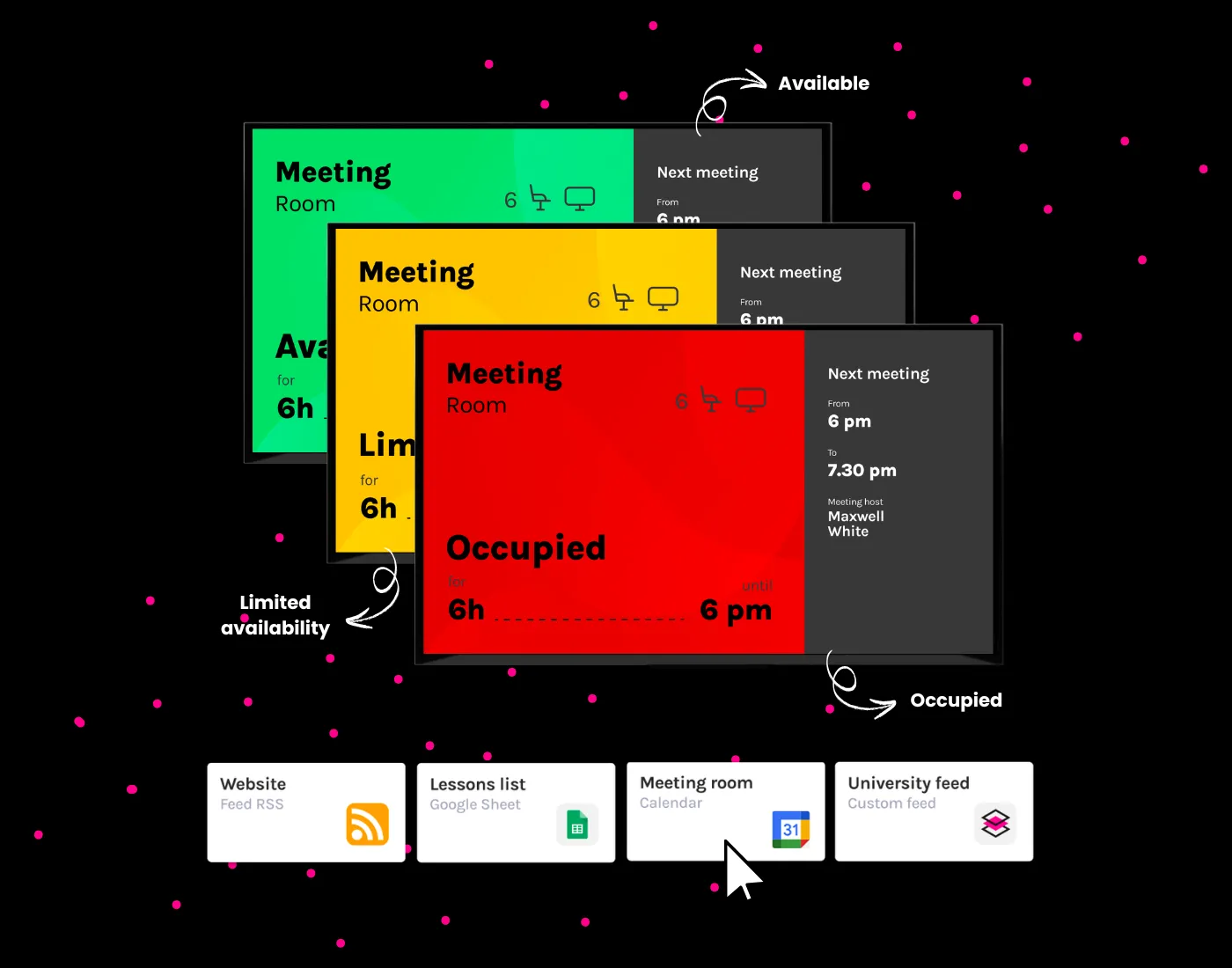
Meeting room booking displays showing availability status in green, amber and red with real-time calendar integration

Streamline Room Entry with Interactive Meeting Room Screens

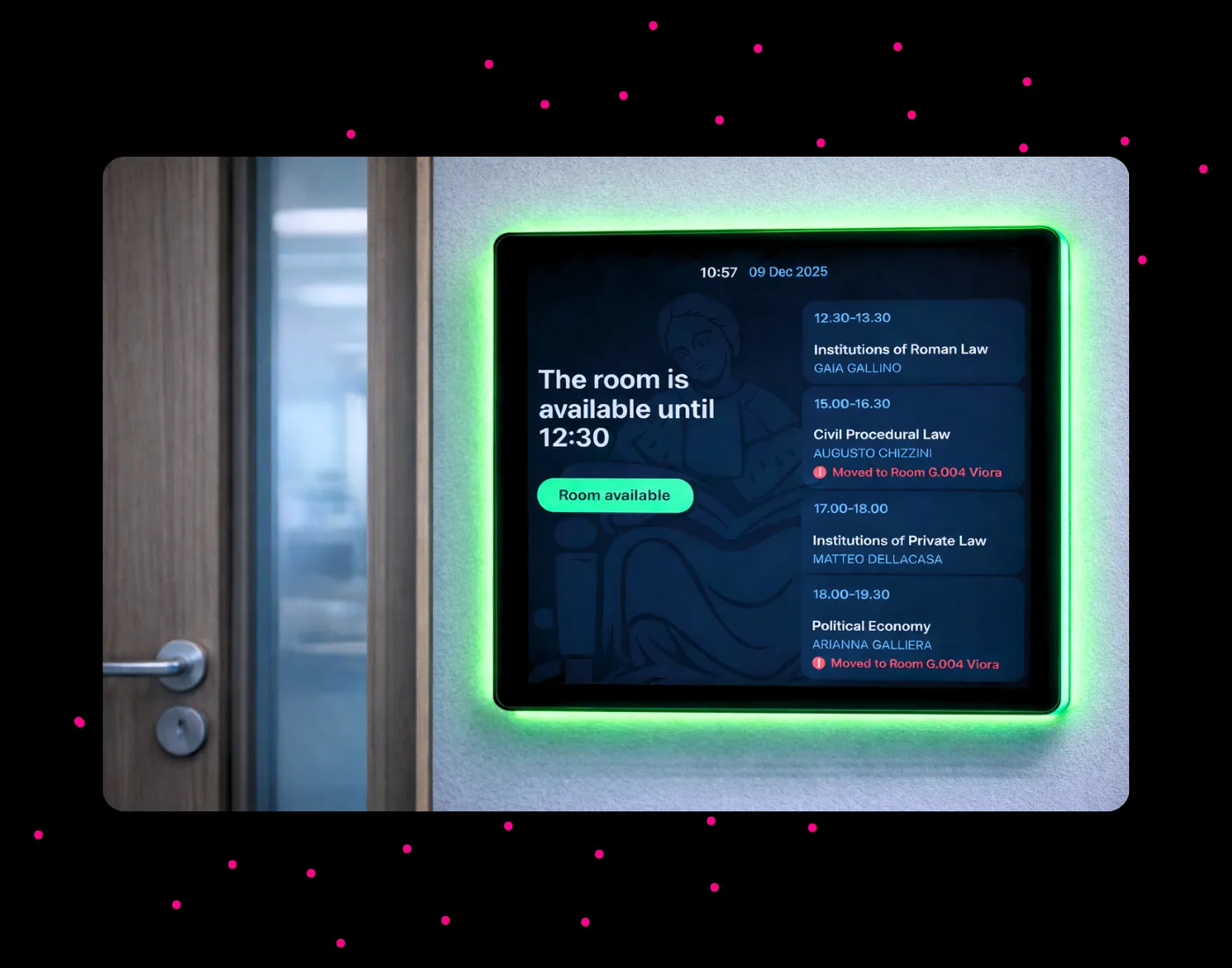
This setup completely eliminates schedule confusion by providing a clear visual reference right at the door. To enhance your workspace workflow, you can easily add on-the-spot room booking via physical touchscreen buttons or dynamic QR codes, apply custom corporate branding, integrate personalized data sources and natively synchronize external hardware LEDsturning the display border red or green to signal room occupancy instantly down the hallway.

Interactive meeting room screen at door showing availability status green and daily schedule


Guide Your Office
with Multi-Room Dashboards

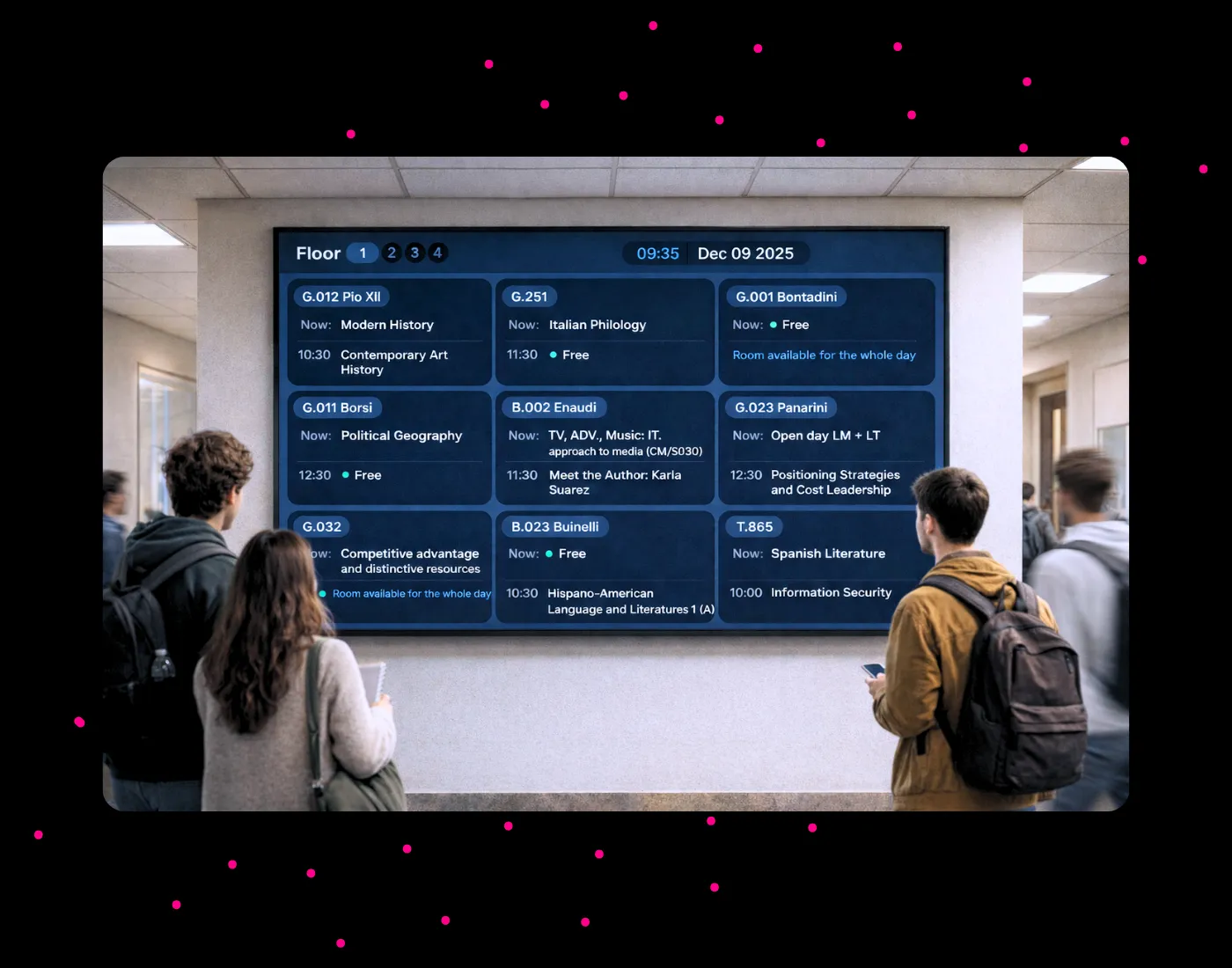
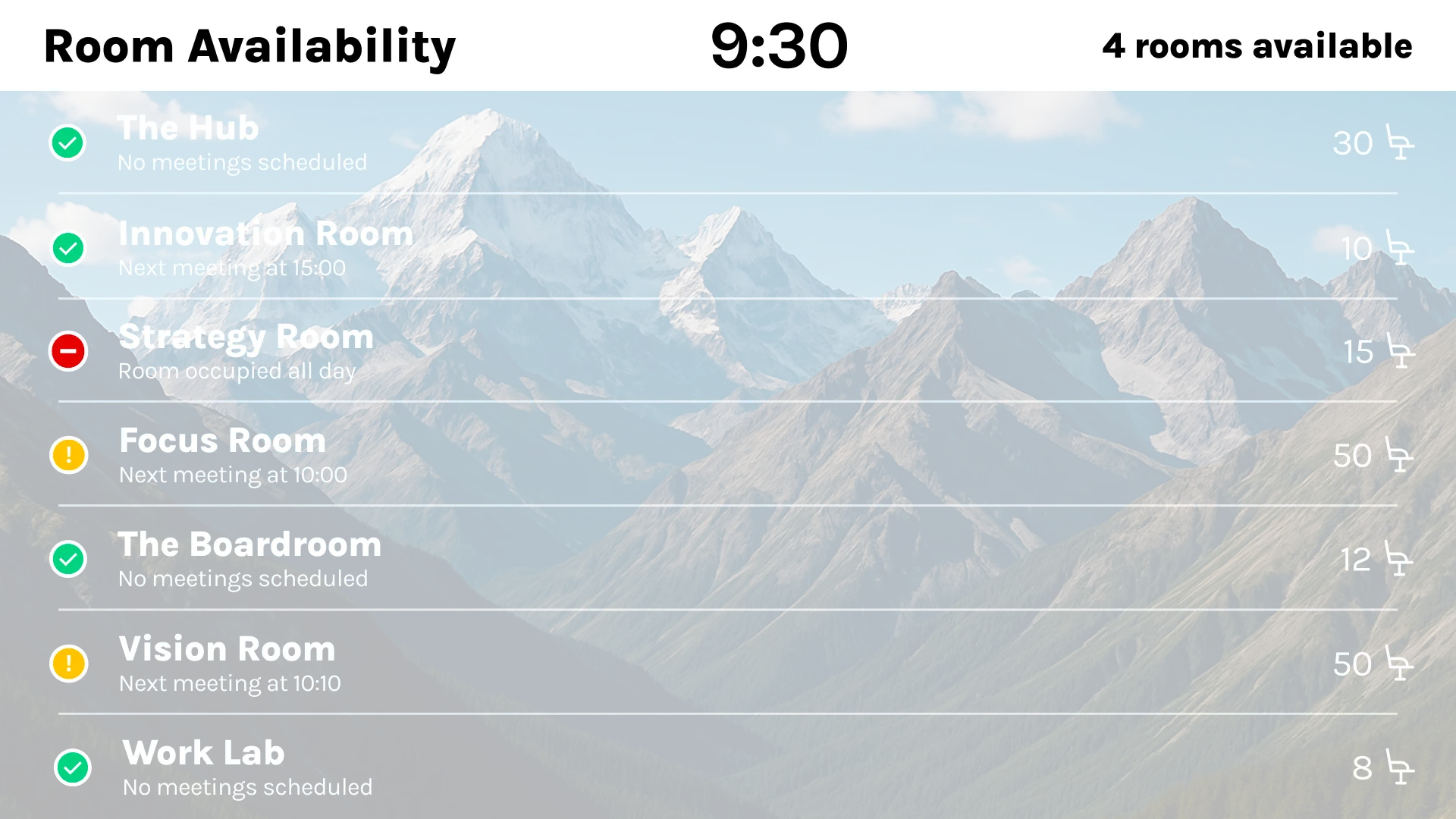
Give your team a unified macro-view of your entire workspace. This centralized panel aggregates the live status, locationand upcoming schedules of all your meeting rooms onto a single screen. By organizing rooms by site, building, or floor, it acts as an automated wayfinding assistant. It slashes front-desk interruptions, eliminates searching times, and coordinates employee traffic effortlessly across your facility.

Multi-room dashboard display showing meeting room availability and schedules across multiple floors for office wayfinding

Ready-to-Use Layouts for Your Room Booking Display

Access our library of professional, pre-designed layouts. Whether it's for a single-room availability status or a complete multi-room overview, we have the right template for you.
Get Started for FREE
Meeting room booking system template with multi-room availability overview
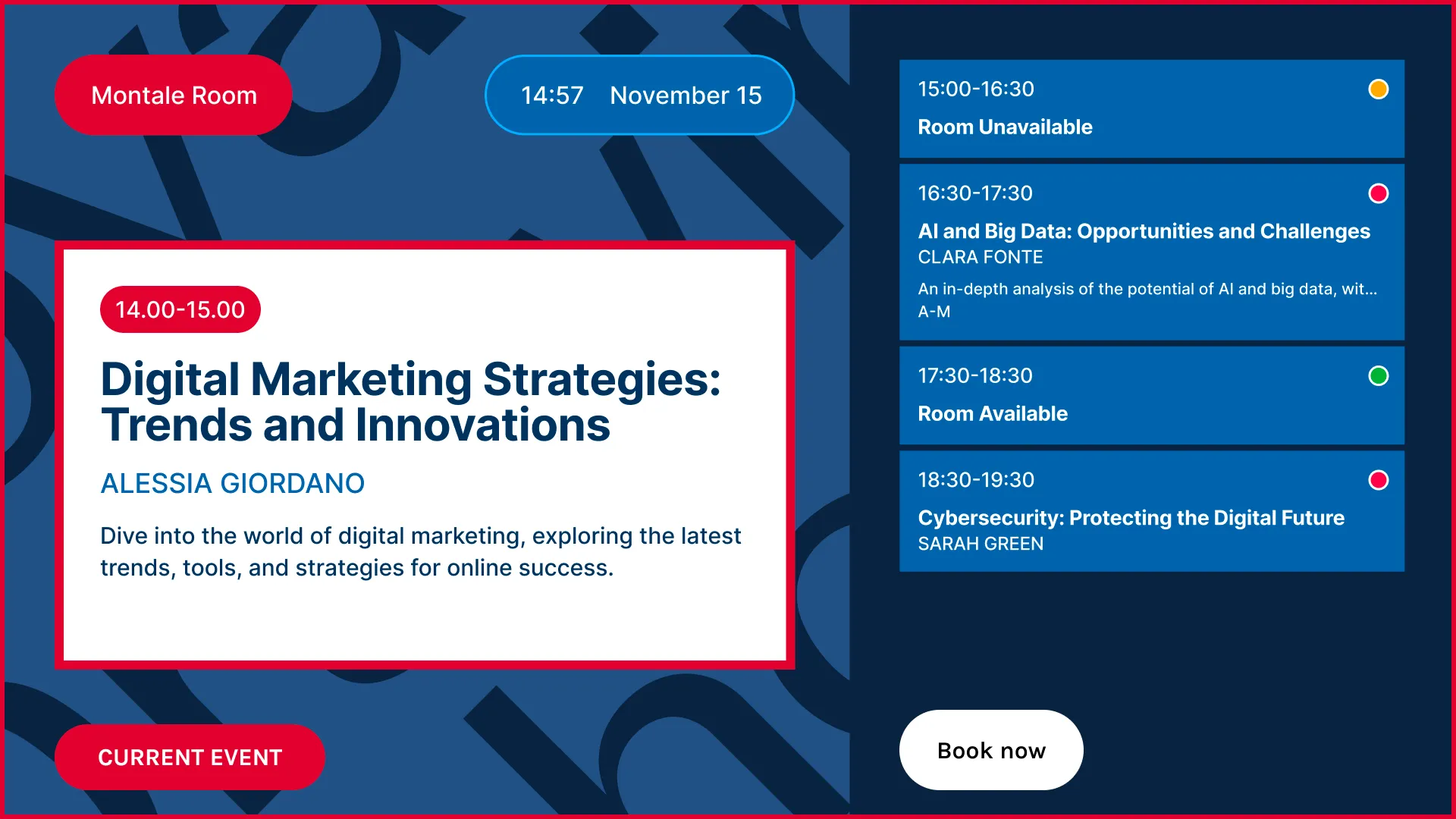
Meeting room display template with current event and daily schedule
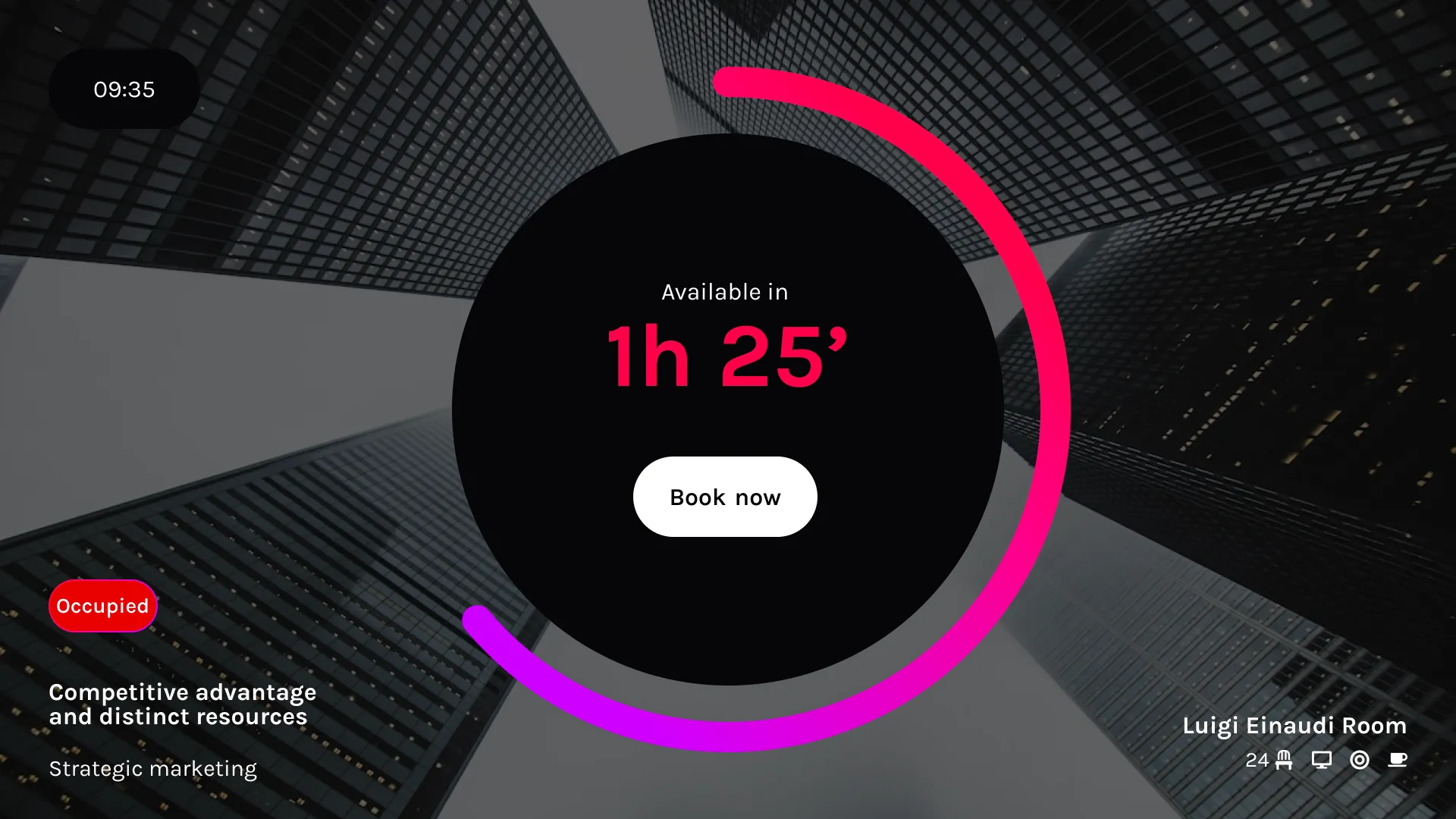
Room booking display template with availability timer and book now button
Meeting room screen template with weekly calendar and occupancy status

Run the whole screen network
from one place

Live Meeting Room is built directly on Livesignage's enterprise display layer. You don't just display room calendars;
you control every single screen in your workplace project to maximize hardware uptime and completely eliminate on-site maintenance visits.

Icon organization and roles for meeting room booking system

Organization & Roles

Set custom user permissions, administrative rolesand access levels tailored precisely by company location, corporate clientr specific project.

Icon scheduling and automation for meeting room display

Scheduling & Automation

Program smart display operational hours, automate system on/off timersand centrally coordinate automated actions.

Icon remote control for room booking screen network

Remote Control

Monitor the live connection status of your entire network (Samsung, Philips, Android, etc.) from a single browser dashboard.
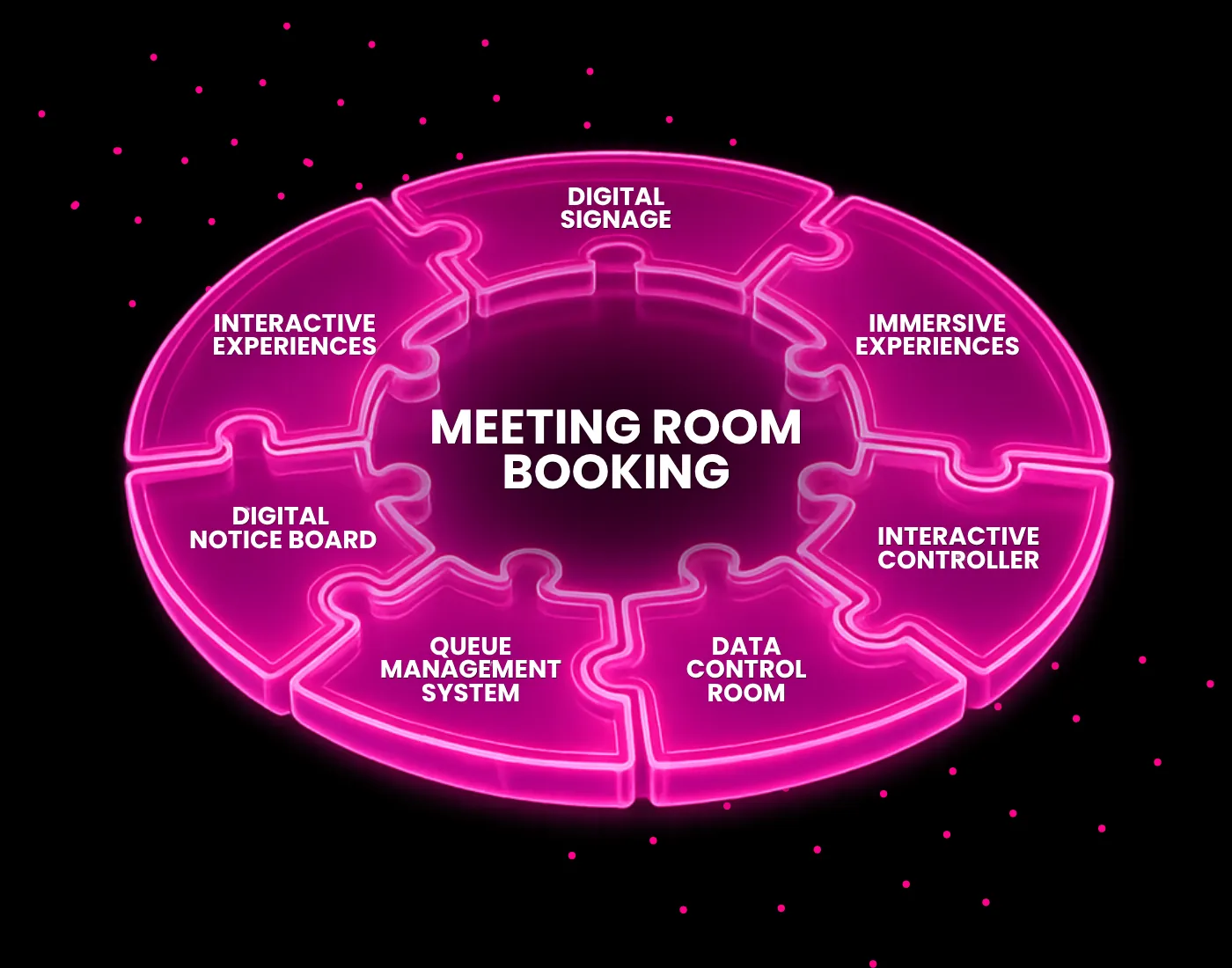
Livesignage ecosystem diagram with meeting room booking at center, connected to digital signage, data control room, queue management and interactive experiences

Start with One Meeting Room Display,
Scale on one Platform
.

Digital Signage for Meeting Room Displays

Transform every screen into a communication channel, not just a queue display, but a space for promotions, updates, and useful information.

Data Control
Room

Monitor performance across all locations with real-time dashboards and centralized data, accessible from one or multiple interfaces.

Interactive Experiences

Let customers interact with services, content, and spaces while they wait, turning idle time into a more engaging and useful experience.

Book a Demo

La tua richiesta è stata correttamente inviata.
Ti risponderemo il prima possibile.
Oops! Qualcosa è andato storto...
Riprova di nuovo

Book a Demo
Online

Fill in the form and one of our specialists will contact you to schedule a 30-minute appointment.

Contact Us

For general inquiries, collaboration requests or opportunities, write to hello@livesignage.com