
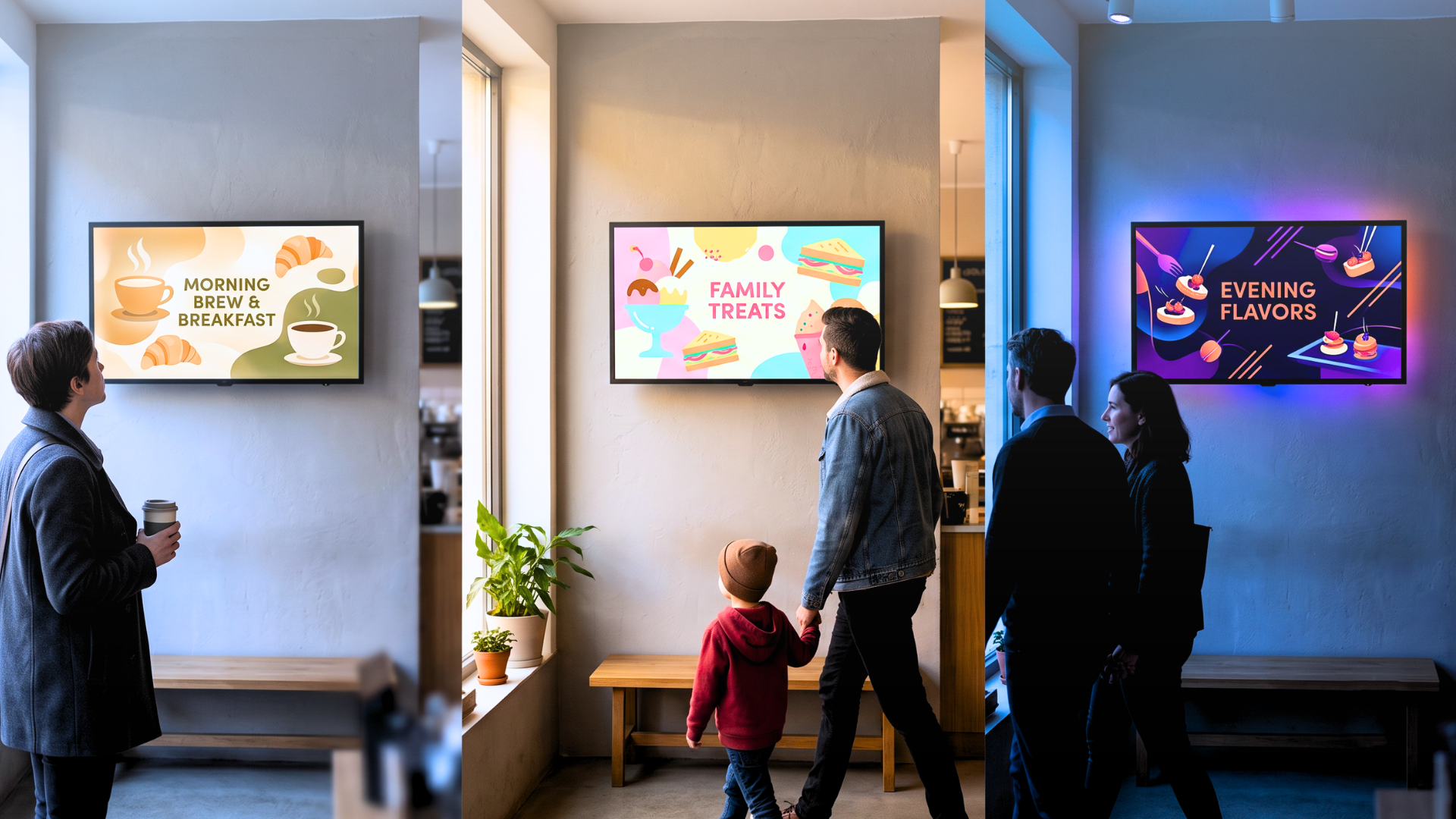
A retail chain runs the same promotional content on every screen, regardless of who is standing in front of them. At 9 a.m., the audience is mostly commuters picking up coffee. At 3 p.m., it shifts to parents with children. At 7 p.m., a different crowd entirely. The content never changes. The screen runs its loop. The opportunity to say something relevant to each of those audiences disappears, hour after hour, location after location.
This is the gap that AI digital signage is designed to close, not by collecting personal data, but by reading the room.
How Computer Vision Works in Digital Signage
Computer vision in smart digital signage works through a camera-equipped display or an external sensor that processes visual data locally, on the device itself. No images are stored. No faces are identified. The system detects aggregate signals: estimated age range, gender distribution, group size, dwell time, attention duration, and whether the person in front of the screen is actually looking at it.
The output is not a profile. It is a context signal: "right now, the audience in front of this screen skews towards the 25–40 age range, predominantly female, average dwell time 12 seconds." That signal is enough to trigger a content change.
This distinction matters operationally and legally. Whether anonymous audience measurement falls under data protection regulations depends on the specific implementation and on whether individuals are identifiable at any stage of the processing. On-device processing and immediate deletion can significantly reduce privacy risks.
Real-Time Content Personalization: From Data to Display
The measurement layer is only half the system. The other half is what happens with the signal. A standard CMS would require a human to review the data, decide what content to show, build a new playlist, and push it manually. That loop takes hours or days. By the time the change is live, the audience has moved on.
In an AI digital signage workflow, the signal feeds directly into a rules engine. The platform evaluates the incoming context against a set of conditions (time of day, detected audience profile, dwell threshold, external data like weather or inventory) and selects or modifies content automatically, in real time.
The practical result: a pharmacy display that shows skincare content when the sensor detects a predominantly female audience in a certain age range, then shifts to men's grooming products twenty minutes later without anyone touching a keyboard. A hotel lobby screen that switches from restaurant promotions to late checkout options after 10 p.m. A bank branch that surfaces relevant service information based on anonymized aggregate audience signals.
None of this requires a designer to rebuild a layout every time conditions change.
No-Code Content Triggers: Building Logic Without Development
The part that typically stops organizations from deploying this kind of system is the assumption that it requires development resources. Building conditional logic, connecting sensor inputs to content outputs, managing multi-device triggers across a location — these have historically been engineering problems.
Livesignage approaches this differently through its Experience Designer, a no-code digital signage platform where flows, triggers, and multi-device actions are assembled graphically. An operator defines conditions ("if audience age skews under 30 and time is between 18:00 and 21:00, show content set B"), connects them to data sources and sensor inputs, and maps the outputs to specific screens, lights, or audio zones — all without writing a line of code.
This is where the Livesignage demo becomes useful for teams evaluating the platform: the Experience Designer is easier to understand in a live walkthrough than in documentation, because the logic becomes visual immediately. The same engine handles multi-device orchestration. A trigger from an audience sensor can simultaneously change what is on the screen, adjust the ambient lighting in the zone, and update an audio prompt as part of a single coordinated experience, rather than relying on three separate systems that need to be synchronized manually.
Audience Analytics: Long-Term Value Beyond Real-Time Triggers
Real-time personalization is the visible output. The less visible, but equally valuable, output is the digital signage analytics data that accumulates over time.
Anonymous audience measurement builds a picture of how different content performs with different audience segments across locations and time windows. Which creative format holds attention longest. Which product category generates the highest dwell time. Where in the customer journey engagement drops. This is not anecdotal. It is operational intelligence.
A network running AI digital signage across 50 locations generates enough signal within a few weeks to identify which content strategies are working and which are wasting screen time. That data feeds back into content planning, campaign design, and media buying decisions.
+85% engagement: the measurable result across a retail network that integrated audience analytics with its content scheduling, driven not by more content, but by content that matched the audience actually present.
Integrating Computer Vision with ERP, CRM, and Weather Data
Computer vision is one data source. It is rarely the only one. Effective personalized signage typically combines audience signals with operational data: inventory levels from the ERP, calendar events, weather feeds, footfall counters, and CRM segments. A display at a car dealership might show financing options when inventory for a specific model is high, switch to service promotions when that model is sold out, and adjust the message entirely when a customer who has booked a test drive walks in.
Livesignage connects to these sources natively (spreadsheets, ERPs, CRMs, APIs, social feeds) and makes them available as inputs to the same trigger logic that processes sensor data. The result is a content layer that responds to the full operational context of the business, not just what a camera sees.
Does Computer Vision Digital Signage Comply with GDPR?
This is usually the first question a European team asks before greenlighting the investment, and the answer comes down to how the data is processed, not just what data is collected.
Anonymous audience measurement can be implemented through aggregate, on-device processing. In the system described here, the camera or sensor detects patterns — such as age range, group size, and dwell time — locally and immediately discards the raw images. No footage or biometric templates are stored, and the resulting aggregate output is designed not to permit the identification or re-identification of individuals. Under the GDPR, personal data is information relating to an identified or identifiable person. Because this implementation neither identifies individuals nor produces or retains identifiable outputs, the resulting aggregate data may fall outside the GDPR definition of personal data; however, this assessment depends on the specific processing architecture and implementation.
This is different from facial recognition used to uniquely identify individuals, which processes biometric data and is subject to stricter GDPR requirements. The distinction is worth stating clearly to stakeholders and, where relevant, in on-site privacy notices: the system counts and categorizes; it does not recognize individuals.
Is AI Digital Signage Worth the Investment?
Not every deployment needs computer vision from day one. The infrastructure investment (sensors, edge processing, integration work) is justified when the network is large enough that manual content management has become a measurable cost, or when the business case for personalization is clear enough to quantify.
For organizations already managing multi-site digital signage networks and looking to move from scheduled content to context-aware content, the question is usually not whether to adopt AI digital signage, but which layer to start with. Audience analytics alone (without real-time personalization) already delivers value by informing content strategy. Adding the trigger layer comes next, once the measurement baseline is established.
If you manage a display network and want to see how the Experience Designer handles audience data and content triggers in practice, you can book a demo with a Livesignage specialist.