
Most internal communications strategies have a quiet flaw: they work well for about 20% of the workforce and fail almost entirely for the rest.
Email, Slack, and intranets are designed for people who spend their day in front of a laptop. But in manufacturing, logistics, healthcare, retail, and facilities management, the majority of employees never sit at a desk. They don't check a company inbox. They don't browse an intranet. According to research by Emergence Capital, deskless workers represent roughly 80% of the global workforce and, in many sectors, they are the people most directly responsible for safety outcomes, throughput, and customer experience.
When they're the last to know about a process change, a shift update, or an emergency protocol, the cost is operational, not merely a communication issue.
Employee communication screens placed at physical touchpoints (entrances, break rooms, production floors, canteen areas) solve this gap by reaching people where they already are, without requiring a login, a personal device, or an inbox to check. The question is not whether to use them. It's how to use them so they actually work.
Why Posters and Printed Notices Are Still Winning (and Why That's a Problem)
Walk into almost any warehouse, factory, or logistics hub in Europe and you'll find the same thing: a printed notice pinned near the locker room, a laminated A4 sheet taped to the break room wall, a whiteboard with shift information that hasn't been updated since Tuesday. These are not communication failures caused by laziness. They're the result of systems not built for this audience. The HR team sends an update by email: the office reads it, while the floor doesn't. The safety manager updates the intranet: the desk staff see it, while the shift workers don't. The gap between "we sent the message" and "they received the message" is where most internal communications strategies break down.
Workplace digital signage closes this gap because it works passively. The screen shows the message to whoever walks past. No account required. No habit change required. No device required.
But a screen is not a communication strategy. A screen showing a static slide that's three weeks out of date is not much better than a printed notice. The question is what goes on the screen and how it stays current.
What Actually Belongs on a Workplace Screen
The mistake many organisations make is treating employee communication screens like a digital noticeboard: upload a slide, forget it for a month, wonder why no one pays attention. The content that generates real engagement has one thing in common: it's relevant to the person standing in front of it right now.
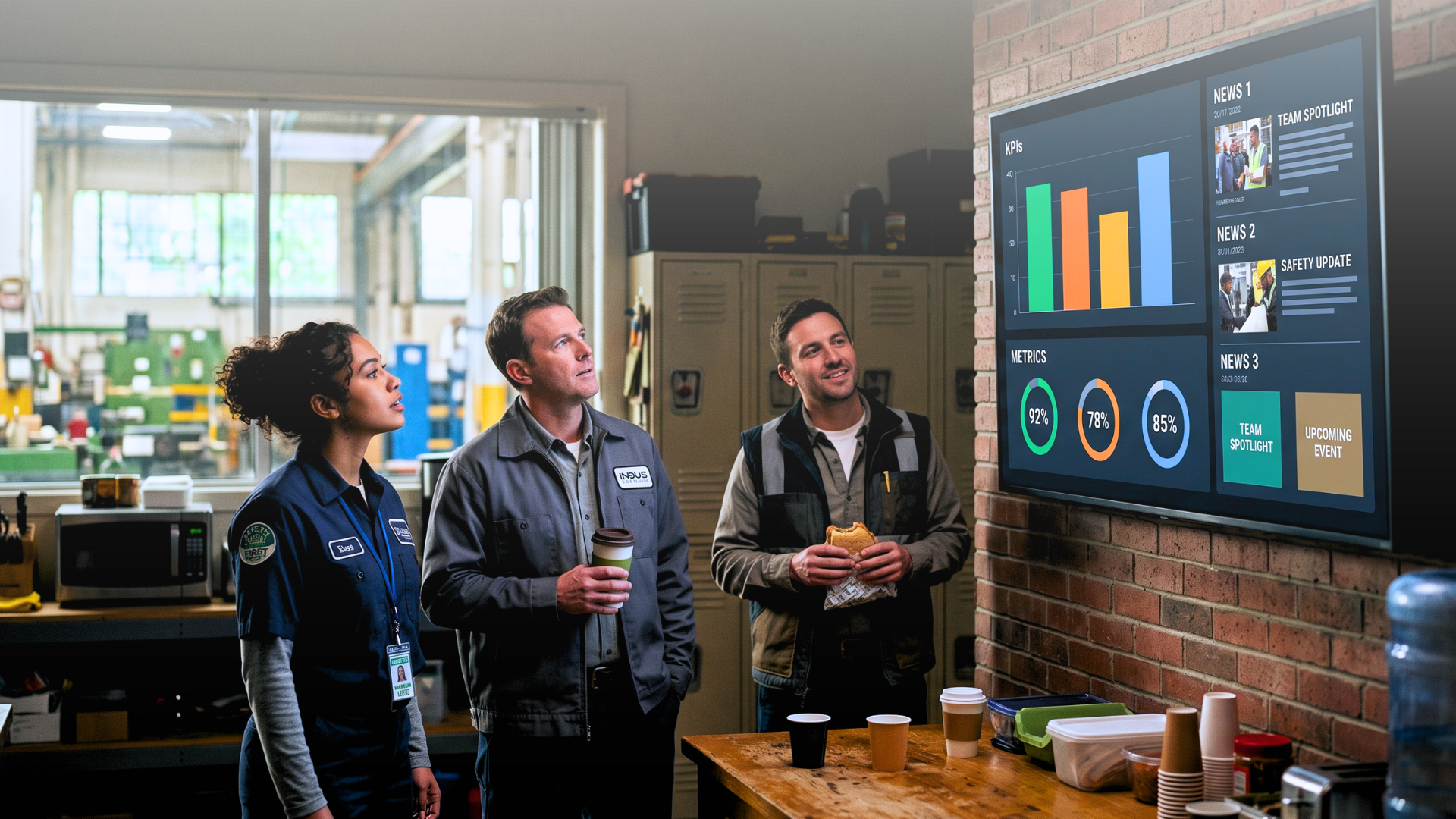
Real-time operational data on the production floor. A manufacturing or logistics team that can see live output targets, current shift performance, and quality metrics has immediate context for their own work. The data comes directly from the ERP or operational system. No one updates it manually. The screen always shows what's happening now. Floor workers who can see how their shift is tracking against target respond to that information differently than workers who have no visibility at all.
Safety and compliance messaging. Rotating safety protocols, incident-free day counters, and emergency procedure reminders are far more effective on a screen at eye level than in a PDF buried in a folder no one opens. When the source content is updated, for instance following a regulatory change or the identification of a new risk, the communication does not depend on anyone remembering to replace a slide.
For multi-site operations in sectors with serious safety obligations (construction, manufacturing, chemicals, utilities), this is where workplace digital signage moves from "nice to have" to infrastructure.
HR communications for deskless staff. Shift changes, open internal positions, onboarding schedules, recognition programmes, and internal events: all of this can be surfaced on screens in break rooms and common areas. This is where internal communication screens close the gap that exists in almost every organisation between office staff and floor workers. The office team got the newsletter. The warehouse team saw it on the break room screen. Same information, different delivery — and now it reaches everyone.
Culture and executive messaging. Short video messages from leadership, company milestones, and values-based content work well on lobby and cafeteria screens. They reach the full workforce, not just the people who happened to open the right email. In organisations where leadership visibility matters for morale and retention, this is an underused channel.
The Real Difference: Static Slides vs. Live Data
There is a fundamental difference between a static slide deck on a screen and a live-data-driven display. One is a digital version of a printed notice. The other is a live dashboard.
When employee communication screens pull content directly from real systems (HR platforms, ERP software, project tools, internal calendars, spreadsheets), the content is always accurate. There is no version control problem. There is no delay between what the system knows and what the screen shows. No one needs to remember to update anything. This matters most in high-change environments: logistics operations tracking vehicle arrivals, manufacturing plants monitoring shift targets hour by hour, retail operations updating promotions daily. In these contexts, a screen showing yesterday's data is not a neutral presence; it actively undermines trust in the channel.
Live Billboard, the Livesignage app built for corporate digital bulletin boards, is designed around this principle. Content is structured around connected data sources rather than static slides. When a value changes in the source system, the screen updates automatically, without involving a designer, requiring a content manager to raise a ticket, or introducing a delay.
Mapping Content to Location: Where Each Screen Should Live
A well-planned deployment doesn't push one playlist to every screen. It maps content to physical locations and the specific audience at each one.
Lobby and reception screens serve a dual audience: employees starting their day and visitors forming a first impression. Content here tends toward company news, brand messaging, and event information.
Floor and warehouse screens serve operational needs: KPIs, safety alerts, schedule changes, and team recognition. The content is specific to that location and shift.
Break rooms and canteens are among the highest-dwell-time environments in most facilities. Employees spend 10 to 20 minutes here multiple times a day — this is where HR communications, internal campaigns, and culture content get the most sustained exposure.
Meeting room corridors and lift lobbies serve the office population: project updates, cross-departmental news, and executive communications.
The platform that manages these screens needs zone-based scheduling and audience targeting. A single playlist pushed everywhere is not a targeting strategy; it's a broadcast.
How to Measure Whether It's Working
Internal communications is notoriously difficult to measure. Email open rates are unreliable. Intranet page views don't confirm whether anyone actually read something.
Workplace signage can be evaluated through proxy indicators: safety incident rates before and after deploying compliance messaging; shift performance scores correlated with KPI screen visibility; HR survey responses on how informed employees feel about company news.
The clearest signal is often the simplest: do employees reference content they saw on a screen when talking to managers? Do they act on it, registering for internal events, applying for open positions, changing a behaviour after a safety reminder? These downstream actions are more meaningful than impressions.
Organisations using data-driven screens for internal communications on the Livesignage platform have reported an 85% improvement in measured employee engagement with company content, based on follow-up surveys and tracking of participation in programmes communicated via screen. The mechanism is straightforward: when a screen shows something directly relevant to the person standing in front of it, they pay attention.
Where to Start Without Overbuilding
The most common failure mode in corporate digital signage rollouts is overbuilding the first phase. A company installs 40 screens, designs 15 content templates, coordinates across four departments, and tries to manage it all at once. Six months later, half the screens are showing outdated content, no one owns the system, and the project is quietly shelved.
A more reliable approach is to start with two or three high-traffic locations and two content types you can automate from day one. A production floor KPI screen fed directly from the ERP. A break room screen fed from the HR calendar. Prove the model. Measure the response. Expand with evidence rather than ambition. The infrastructure (platform, hardware, integrations) should be capable of scaling to 200 screens without a rebuild. The content strategy should start small and grow deliberately.
The question to ask before the first screen goes up: if this screen had to update itself without anyone touching it, what data source would it connect to? If you can answer that question for the first two locations, you have a deployment that will still be working in 18 months.
The Gap Most Internal Comms Teams Are Still Living With
The intranet was not built for shift workers. Email was not built for people without a work inbox. Teams chat tools were not built for people without a company laptop. These are not technology failures; they're channel mismatches. The workforce these tools were designed for is not the full workforce. Employee communication screens are not a replacement for the digital stack. They're the layer that finally reaches the people the rest of the stack has never been able to reach.
If you manage internal communications across multiple sites and want to understand how a data-driven deployment would work for your locations, book a consultation with a Livesignage specialist.