
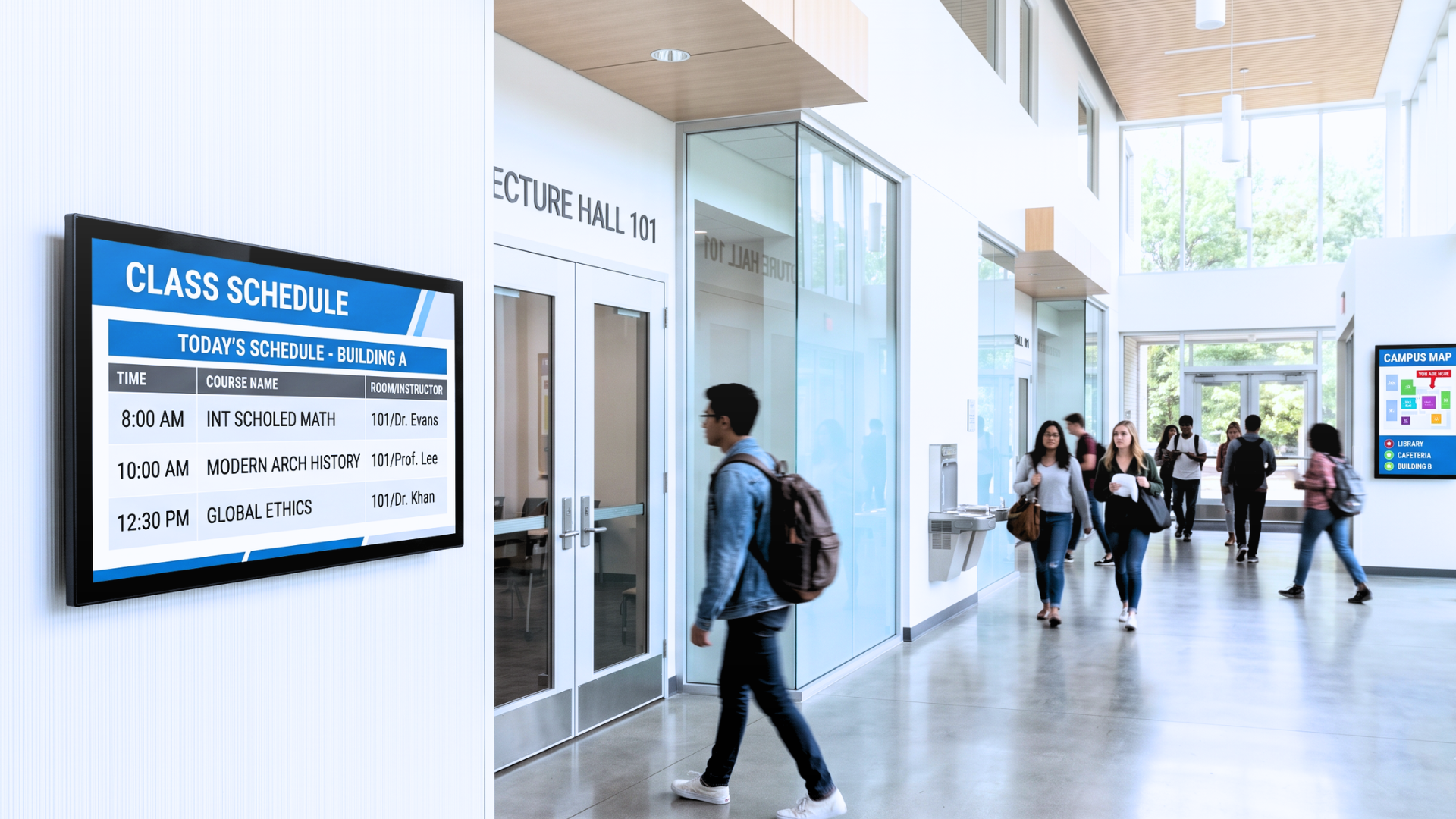
A university with 12 buildings, 400 rooms, and 8,000 students publishes a new timetable every semester. Notices go up on physical boards, get buried under other notices, and are out of date within days. Room bookings are managed by email. Visitors ask staff for directions. Events get missed because the announcement appeared once on a screen in the wrong building. The problem is not a lack of information — it is a lack of coordination.
Digital signage for schools and universities is not about replacing noticeboards with screens. It is about connecting information systems so that what appears on a display is always accurate, always relevant, and always in the right place.
Why Campus Communication Breaks Down at Scale
A single campus is operationally more complex than most mid-sized corporate offices. You have multiple audiences — students, faculty, administrative staff, prospective students, parents, external visitors — each looking for different information, in different buildings, at different times of day.
Static content management does not survive this complexity. When a lecture room changes, someone has to update the screen in that corridor. When an event is cancelled, someone has to pull the announcement from every display that carried it. When a visiting delegation arrives, someone has to build a welcome screen from scratch.
The result is a communication system that is always slightly wrong: stale room listings, outdated event calendars, generic welcome messages, and wayfinding that leads people to the wrong floor. The operational cost is easy to overlook but real — staff time spent on manual updates, and a campus experience that feels fragmented.
What Data-Driven Signage Changes on a Campus
The structural fix is not more screens. It is connecting the screens you have to the systems that already hold the right information.
A timetable managed in the university's academic scheduling software should feed directly into corridor displays outside lecture halls. A room booking made through an Outlook calendar or a dedicated booking system should appear instantly on the screen outside that room. An event added to the campus calendar should populate the relevant display zones automatically, without a designer rebuilding a layout.
This is what separates an orchestration platform from a basic content management system. With Livesignage, content updates flow from the source — ERP, calendar, spreadsheet, booking system — to the screen, without manual intervention. A department administrator changes a room assignment in the scheduling tool; the display outside that room updates within minutes. No design work. No version mismatch. No one carrying a USB stick.
Across campuses where this model has been deployed, engagement with screen content has increased substantially. When displays show information that is accurate and contextually relevant — the right timetable, the right event, the right directions — people actually read them. Measured across education deployments, this approach has produced an 85% increase in engagement compared to static or manually updated content, driven entirely by the shift from generic playlists to data-synced, location-specific content.
Room Booking Displays That Actually Reflect Reality
One of the most visible friction points on any campus is room availability. A seminar room shows as free on the corridor screen but is already occupied. A meeting is booked but the display shows nothing. Staff and students make decisions based on outdated information and waste time on unnecessary detours.
Live Meeting Room, Livesignage's room booking application, connects directly to calendar systems — Microsoft 365, Google Workspace, and custom integrations — and displays real-time availability on screens mounted outside each space. The display shows the current booking, the next scheduled session, and remaining availability for the day. If a booking is cancelled, the screen updates automatically. If a room is booked ad hoc, the display reflects the change immediately.
For universities managing dozens of seminar rooms, labs, and meeting spaces across multiple buildings, this eliminates a category of operational noise that is minor in each instance but significant at scale. It also gives facilities managers a clearer picture of how spaces are actually being used, not just how they were scheduled.
Campus Wayfinding and Announcements Without Manual Overhead
Wayfinding is where campus signage most often fails. Maps are printed once and become obsolete when a department moves. Digital directories are updated irregularly. Visitors interrupt staff to ask where to go.
Live Billboard, Livesignage's digital bulletin board application, handles the announcement and wayfinding layer without requiring a dedicated content team. Departments can push their own updates — events, office hours, notices — through a controlled interface, while the platform enforces brand consistency and display rules centrally. A faculty administrator can post a seminar announcement that appears on the relevant building's screens within minutes, without touching the design or the broader content schedule.
For multi-building campuses, display zones can be configured by location, audience, and time of day. A screen in the engineering faculty shows content relevant to engineering students. A screen at the main entrance shows general campus news, visitor directions, and upcoming events. A screen in the staff common room shows internal communications. All of this is managed from a single platform, with each zone pulling from the appropriate data source.
This structure also supports multilingual campuses. Content can be configured to display in multiple languages on rotation, or to serve specific language versions to specific zones, without duplicating the content management effort.
When a Campus Has Outgrown Its Current Setup
The transition from a useful campus signage system to an operational liability is usually gradual. It starts with one or two screens showing the wrong information. Then a staff member is assigned to weekly manual updates. Then the updates become fortnightly because no one has time. Then the screens are effectively ignored because no one trusts what they show.
The switch to a data-connected platform is worth considering when the operational cost of maintaining accuracy manually exceeds what automation would require. For most campuses with more than 20 displays across multiple buildings, that threshold has already been crossed.
Livesignage is certified on Samsung, LG, Philips, and BrightSign hardware, and is compatible with Android and Android TV, which means it integrates with most display infrastructure already in place on campus — no hardware replacement required in most cases.
Where to Start
A campus rollout does not need to happen all at once. The most effective approach is to start with the highest-friction points: room booking displays in the buildings with the most scheduling conflicts, and announcement screens in the highest-traffic areas. Once those are connected to live data sources and running without manual intervention, expanding to the full network is straightforward.
If you manage communications or facilities for a university, college, or multi-site educational institution and want to see how much of your current manual workload can be automated, you can book a demo with a Livesignage specialist and walk through a configuration built around your actual infrastructure.