
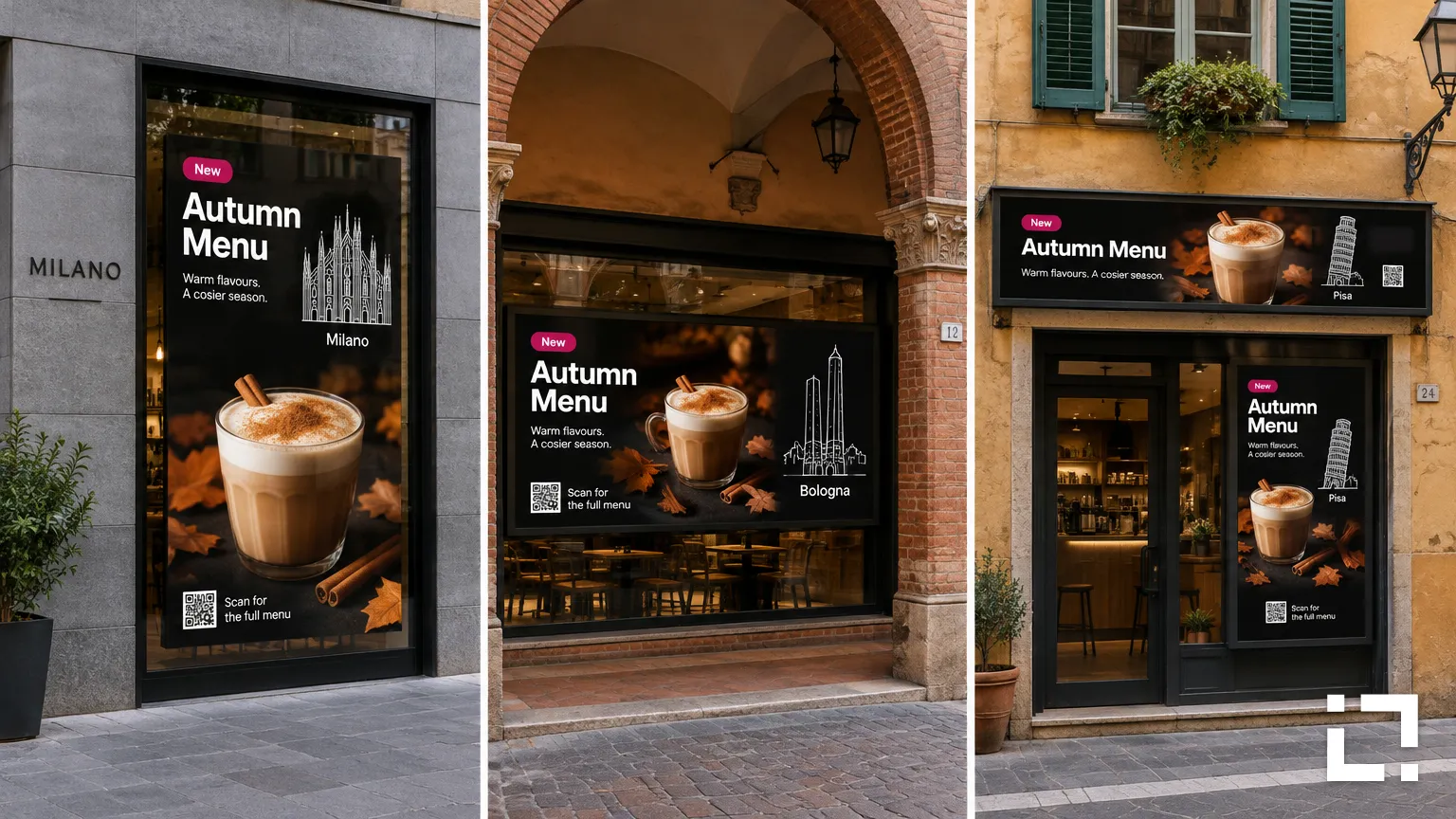
Head office launches the autumn campaign on Monday. By Wednesday, one store has replaced it with a home-made poster for a local event. Another is still running the summer menu, and a third shows the right campaign with last year's prices. Nobody did anything wrong. Nobody was given a simple way to do it right.
Most franchise networks run into the same handful of problems with their screens. Here are five, and what usually fixes them.
1. Nobody decided what is local
If the rules aren't written down, every store improvises. Before choosing any tool, list which parts of a screen stay the same across the network and which ones each location fills in.
- Network-wide: logo, colours, typography, layout, national campaigns.
- Local: opening hours, local events, store prices, a message from the team.
2. Stores receive files instead of templates
Sending finished videos to every store works until the first price changes. A template lasts longer: the brand designs the layout once, and the content changes inside it.
In Livesignage, templates can fill themselves from a data source, such as a spreadsheet with one row per store. Bologna shows Bologna's prices, Pisa shows Pisa's, and the layout is the same everywhere. When head office updates the design, every store gets the new version.
3. Everyone can edit everything
Local autonomy works only when every store knows exactly what it can manage. A store manager should be able to update local promotions without any risk of changing another location's content. Head office, meanwhile, needs to see the whole network. Clear user permissions and screen groups keep that separation in place as the network grows.
Set the approval path at the same time. National campaigns go out from head office, local content is checked before it runs, and urgent fixes, like a wrong price, have a named person and a fast route.
4. Campaigns go out by email
For each campaign, decide which locations take part, the dates, and whether local versions are allowed. Then schedule it centrally, so it starts and ends on its own. The summer menu doesn't outstay its welcome when it has an end date.
5. One design for every screen
Stores rarely have identical windows: a tall portrait display here, a wide screen there, a strip above the door. Prepare consistent template versions for each screen format, so the brand stays recognisable across portrait, landscape and unconventional displays.
What changes when the network grows
With ten stores, a few phone calls can cover the gaps. With a hundred, they can't. The real test of a franchise signage setup is whether the work stays roughly the same as locations are added: the same template, the same data source, the same approval path, a few more rows in the spreadsheet. If every new store means more manual updates, the system won't keep up with the business.
Running a franchise network and want every screen on-brand? Write to us and we'll connect you with a Livesignage partner in your country.