
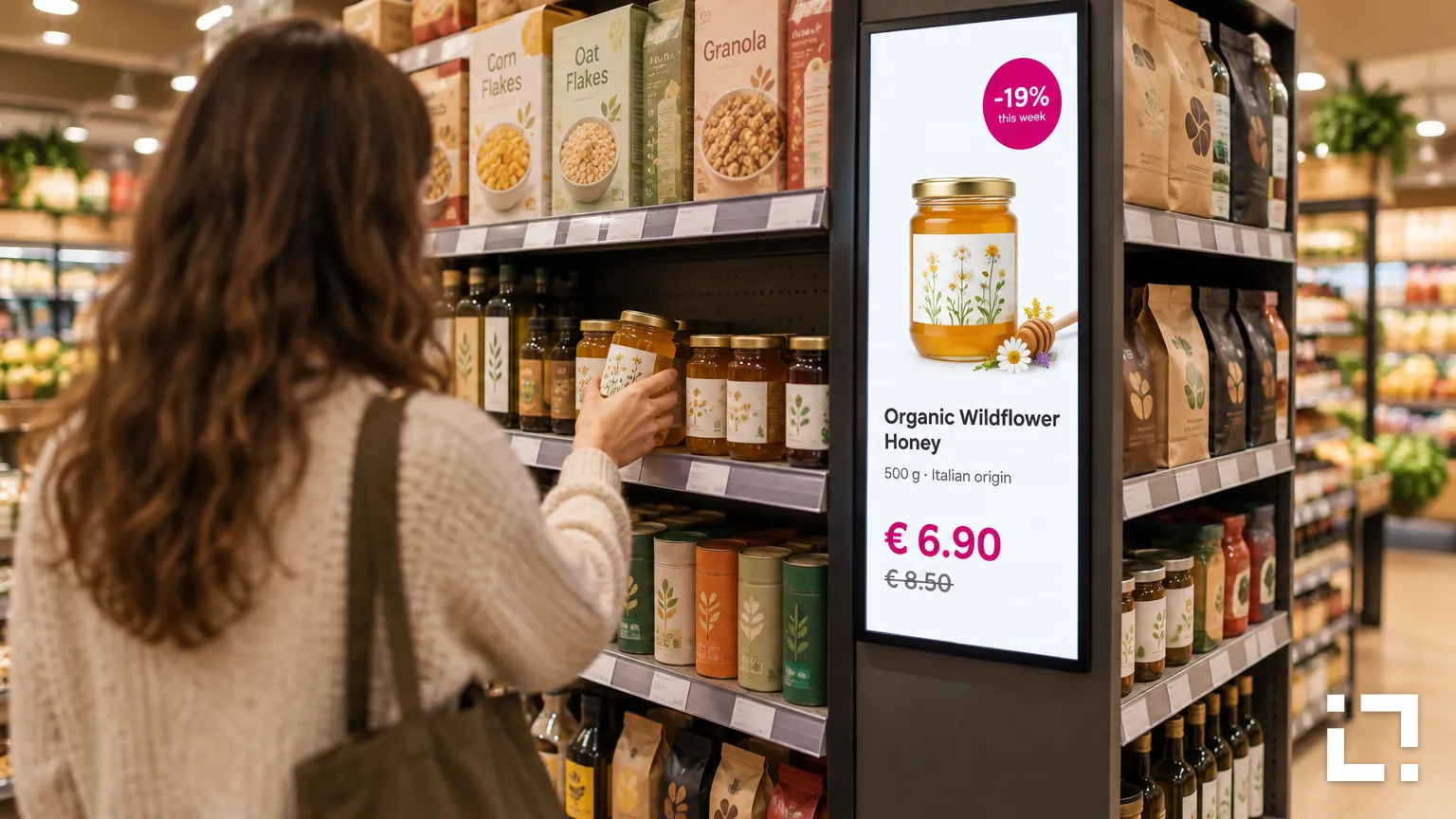
A brand manager asks a grocery chain: "Can we run our new honey on your screens next month, in the 40 stores near the breakfast aisle?" Most retailers can't answer that on the spot. They know they have screens. They don't know exactly where, in what format, or what they could promise to report afterwards.
That gap is the whole job of in-store retail media: turning screens you already run into media you can describe, package and deliver.
Start with an inventory a brand can buy
Before talking to advertisers, list every screen as a placement: store, position (entrance, aisle end, checkout), orientation, size, the formats it plays and the hours it is on.
Group placements into packages a buyer understands, such as "breakfast aisle, all stores" or "checkout screens, city-centre stores". If a placement can't be delivered as described, leave it out of the package.
Put the message where the decision happens
A screen at the entrance builds awareness. A screen at the shelf speaks to someone who is about to choose. That can make aisle-end and shelf-level placements particularly valuable, because the message appears closer to the purchase decision.
This is where interaction earns its keep. With sensors, such as those from our technology partner Nexmosphere, a display can react when a shopper picks up a product: the screen switches to that product's details, price and offer. It doesn't need to know who the shopper is, only that the product moved.
Let live data keep campaigns accurate
Prices and promotions change faster than anyone can edit a playlist. Livesignage builds content automatically from your data sources, so the screen updates when the price list does. If stock data is available to the signage system, a campaign can run only while the product is available, and switch off automatically when the promotion ends.
Brands supply the creative once. The retailer's data keeps it accurate.
Design the experience, not just the slot
With Experience Designer you set up what each screen does and when: default content, sensor triggers, scheduled campaigns, the QR code that takes the shopper to a recipe or a coupon. The same template can run across hundreds of screens, with each store showing its own prices.
Report what you can measure, and say what you can't
Be precise with advertisers about reporting. Livesignage records the number of touches and QR code scans, anonymously: how many interactions happened, not who made them. Add scheduling and playback logs and you have a clear delivery report.
What a screen log doesn't prove is how many people looked, or whether they bought. If you combine screen data with sales data, explain the method.
Advertisers trust a network that reports less but reports it straight.
Set the rules before the first campaign
- Creative specs: formats, durations, minimum text size.
- Approval: who signs off, and the lead time.
- Category rules: competing brands, restricted products.
- Priority: what happens when a paid campaign clashes with the store's own messages.
Writing this down once saves a negotiation with every new advertiser.
Planning to open your store screens to brands? Write to us and we'll connect you with a Livesignage partner in your country.