
A luxury automotive showroom in Munich. A customer picks up a scale model of the new SUV from the podium. Instantly, the 85-inch display behind it switches from brand video to a full spec comparison, the ambient lighting shifts to match the car's exterior color, and a speaker plays the engine sound. No staff intervention. No button pressed. The customer just lifted an object.
That is lift and learn in retail at its most complete. Not a screen playing a loop, but a physical action triggering a coordinated, multi-device experience. The gap between that and a standard digital signage installation is not incremental—it is structural.
What Lift and Learn Actually Requires
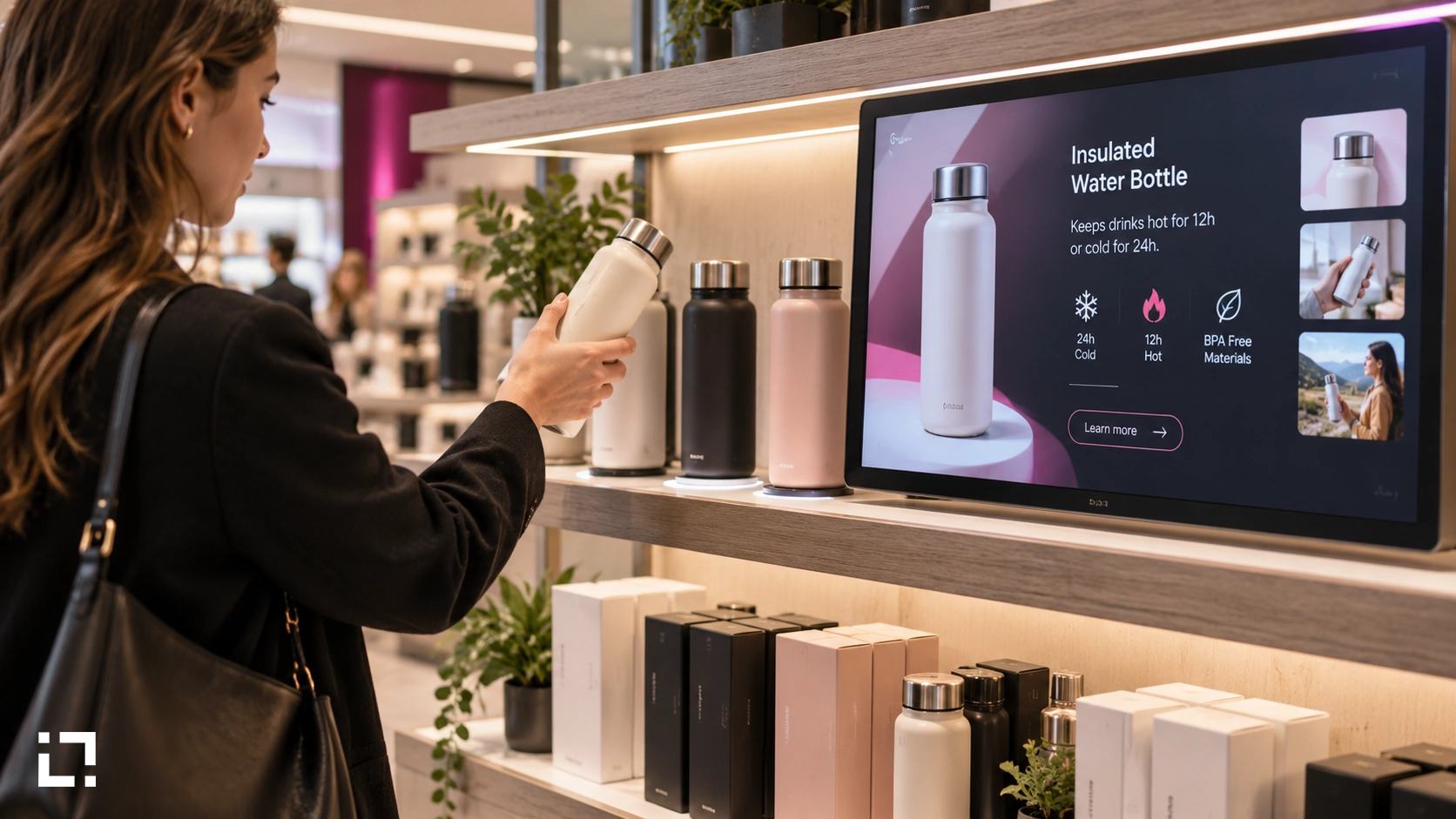
The phrase "lift and learn" describes a simple mechanic: a customer picks up a product, and a screen responds with relevant content. In practice, most implementations stop there—a weight sensor under a plinth, a trigger sent to one screen. Useful, but limited.
The fuller version involves at least three layers working together: the sensor detecting the action, the content engine selecting the right response, and the output layer coordinating what happens across screens, lights, audio, and any other connected device. Without all three layers talking to each other, you get a screen that changes. With all three, you get an experience that sells.
This is where most digital signage platforms hit a ceiling. They handle the content layer reasonably well. They struggle with the orchestration layer—the part that decides what happens on which device, in what sequence, under what conditions, and without requiring a developer every time something changes.
NFC and Proximity Detection: Two More Triggers, Same Logic
Lift and learn is one input. NFC and proximity detection follow the same principle but serve different contexts.
NFC digital signage works where the interaction is deliberate: a customer taps a product, a card, or a wristband against a reader. The system identifies the object and responds. In retail, this is useful for product authentication, personalized recommendations, or loyalty-linked content. In automotive, a configured NFC tag on a vehicle can pull up its exact specification sheet, available colors, and financing options—without a salesperson needing to be present.
Proximity marketing displays use presence detection—typically infrared or radar sensors—to trigger content when someone enters a defined zone. No touch required. A customer walks past a display at the end of an aisle; the screen switches from a default loop to a targeted promotion for the products on that aisle. Dwell time increases. So does recall.
The underlying logic is identical across all three trigger types: a physical event in the real world produces a defined response in the digital environment. What changes is the sensor. The orchestration layer handles the rest.
Nexmosphere Sensors and the No-Code Orchestration Problem
Nexmosphere makes some of the most capable retail sensors available—lift detectors, NFC readers, presence sensors, gesture controllers. The hardware is reliable and widely deployed. The challenge has always been what happens after the sensor fires.
In a typical setup, connecting sensor output to meaningful multi-device responses requires custom development. An integrator writes middleware, maps triggers to actions, and hard-codes the logic. When the retailer wants to change what happens when a product is lifted—different video, different lighting scene, different audio—they go back to the developer. Every change is a project.
Livesignage solves this differently. The Experience Designer is a visual environment where sensor inputs from Nexmosphere devices are mapped to outputs—screen content, lighting states, audio tracks, projector scenes—through a drag-and-drop flow builder. No code. The retail or marketing team defines the trigger, selects the response, and sets the conditions. If the product changes, the experience changes in the same interface.
Live Controller, the Livesignage app for immersive environments, handles the output side: it coordinates the signals going to each connected device so they fire in the right sequence, at the right time, across the room. A single experience can involve a display switching content, a lighting controller adjusting scene, and a speaker changing audio—all from one lift event, all configured without writing a line.
Where the Engagement Numbers Come From
The case for sensor-driven retail is not theoretical. Across deployments integrating physical triggers with coordinated multi-device responses, Livesignage has recorded an 85% increase in engagement compared to passive display setups in the same locations. The mechanism is straightforward: when a display responds to what a customer actually does, attention is captured and held. A screen playing a loop competes with everything else in the store. A screen that responds to a physical action commands focus.
This aligns with broader retail data. Motion-triggered displays produced a 66% unit sales increase for a major consumer goods brand in a direct comparison against static signage in equivalent store locations. Interactive touchscreens increase shopper engagement by up to 33%, with measurable impact on dwell time. The common factor is response: content that reacts to human behavior performs better than content that runs on a timer.
For automotive retail, where a single conversion is worth thousands, the calculus is even clearer. A showroom that can deliver a personalized, sensor-triggered experience around each vehicle—without requiring a trained specialist to stand next to every car—changes the economics of the floor.
Configuring an Experience Without a Developer
The practical question for a retail IT or marketing team is: who owns this after deployment?
With custom-developed sensor integrations, the answer is usually "the integrator". Any change to trigger logic, content mapping, or device coordination goes through a ticket, a quote, and a waiting period. For a retailer running seasonal promotions or a car dealer updating model specifications monthly, that dependency is expensive and slow.
In Experience Designer, the flow is owned by whoever has access to the platform. A marketing manager can open the interface, find the trigger for a specific product plinth, update the video it calls, change the lighting scene it activates, and publish the change—without touching code, without filing a request, without waiting. The same interface that built the experience maintains it.
For multi-site retail—a network of stores, a group of dealerships—this matters at scale. The same experience template can be deployed across locations, with local variations managed from the same environment. Livesignage, a 3x Digital Signage Awards Winner (2024, 2025, 2026), is built for networks, not single installations.
When Sensor Orchestration Is Worth the Switch
Not every retail environment needs lift and learn. A single screen in a small shop does not require a Nexmosphere sensor and an orchestration platform.
The inflection point comes when the environment has multiple devices that need to respond together, when content needs to change frequently, or when the goal is to create a differentiated experience that passive displays cannot deliver. Flagship stores, automotive showrooms, high-value product sections in large retail, brand experience centers—these are the environments where sensor orchestration produces measurable commercial results.
If you manage environments like these and want to see how Experience Designer handles sensor-triggered orchestration in practice, you can book a demo with a Livesignage specialist.