
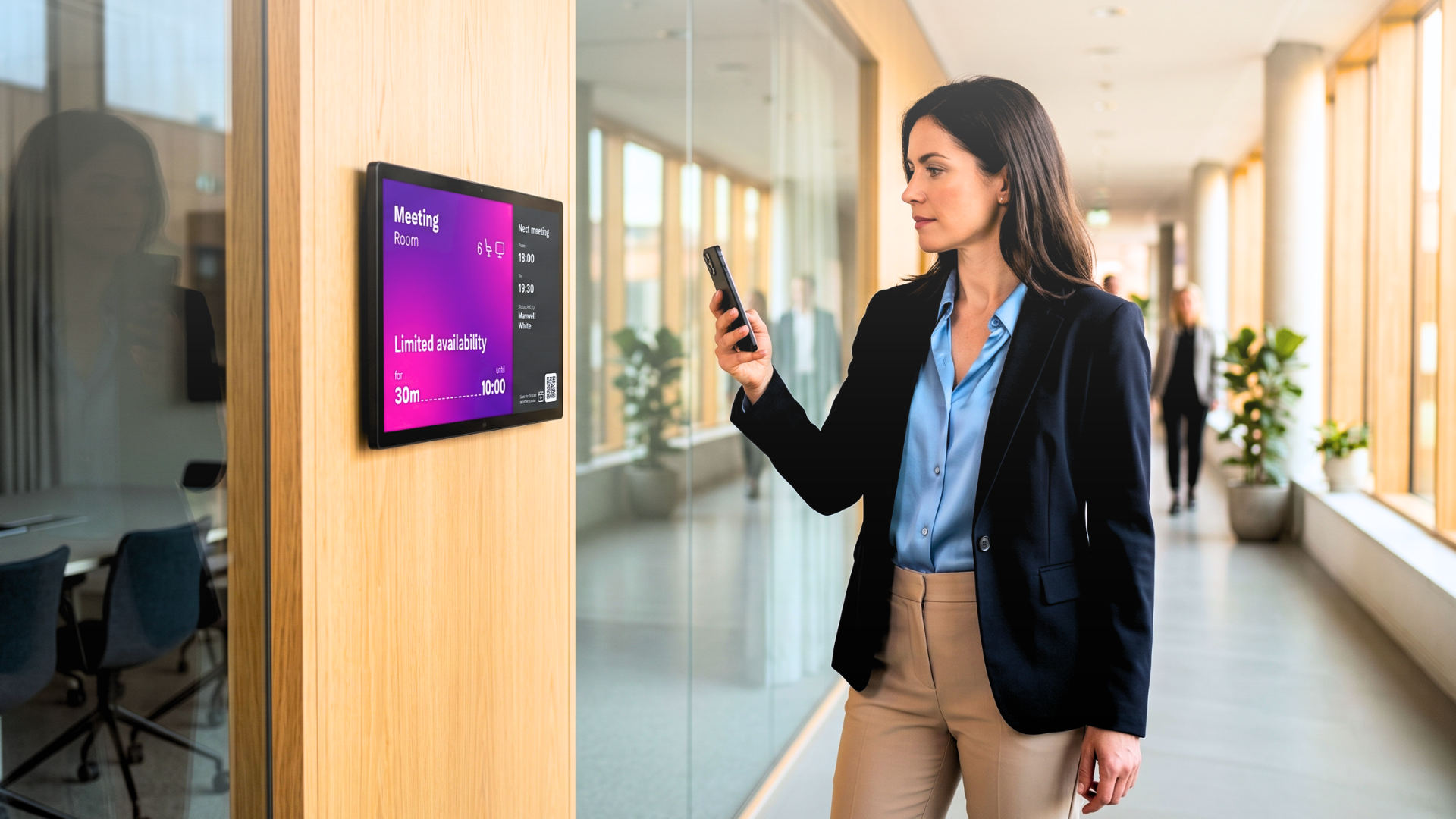
Consider a professional services firm with 12 floors and 200 meeting rooms. Every morning, employees find rooms marked as occupied in the booking system even though they are empty. Someone booked a room via Outlook, forgot to cancel, and left early. The display outside the door still shows the room as taken. Three people from different teams are standing in the corridor, phones out, trying to find somewhere to hold a call that starts in four minutes.
This is not an edge case. It is the default state of most corporate office environments meeting room booking displays are either absent, disconnected from the calendar system, or simply showing the wrong data.
Why Most Room Booking Systems Break Down in Practice
The failure is rarely in the hardware. It is in the gap between what the calendar system knows and what the display shows.
In many offices, room displays are updated manually, or rely on a sync that runs every few minutes. In a building where rooms turn over every 30–60 minutes, a five-minute lag is enough to create a collision. Someone books a room on their phone while walking down the hallway. Someone else sees "Available" on the screen outside the door and walks in. The meeting starts badly before it has begun.
The problem compounds at scale. A 50-room building is manageable with workarounds. A 200-room campus across three buildings is not. Facilities teams spend hours each week reconciling booking data, chasing ghost reservations, and fielding complaints from employees who could not find a space.
The real cost is not the wasted rooms. It is the time employees spend working around a broken system and the friction that accumulates into a measurable drag on how the office functions.
What a Meeting Room Booking Display System Needs to Do
A meeting room screen is not a clock with a calendar widget. It needs to do four things reliably:
• Show live status at a glance: available, occupied, or about to start, visible from a distance without anyone needing to walk up to the door.
• Sync directly with the calendar platform: no periodic refresh, no lag between what's booked and what's displayed.
• Confirm check-in to prevent ghost bookings: automatically release the room if nobody checks in within a set window.
• Allow one-tap ad-hoc booking: so someone can claim an open room on the spot, without opening Outlook or Teams.
The check-in function is underestimated. Without it, no-show reservations accumulate and rooms sit empty while the system marks them as occupied. Auto-release (where the room reverts to available if nobody checks in within, say, five minutes of the start time) recovers a significant portion of wasted capacity without any manual intervention.
Integration with the calendar platform is non-negotiable. The display must be a live mirror of Microsoft 365, Google Workspace, or whichever system the organisation uses. Not a copy that syncs periodically. A live connection.
How Live Meeting Room Handles Multi-Floor, Multi-Building Environments
Most meeting room booking products work at the room level. A screen, a calendar sync, a booking button. That is sufficient for a single office with a handful of rooms.
Corporate environments need something different. The same booking logic needs to apply consistently across floors, buildings, and (in global organisations) time zones. Administrators need to see utilisation data across the entire estate, not room by room. Facilities teams need to push policy changes — minimum booking duration, advance booking limits, and room categories — from a single point without touching each device individually.
Live Meeting Room, the Livesignage application for room booking signage, is built on this premise. It connects directly to the organisation's calendar system, runs on certified hardware from Samsung, LG, and BrightSign, and is managed centrally through the Livesignage platform. A change to booking policy propagates to every screen in the estate immediately. There is no per-device configuration.
The display itself is designed for the corridor moment: current status visible at a glance, room name and next booking shown clearly, one-tap ad-hoc booking, and check-in confirmation that prevents ghost reservations from stacking up.
The Operational Cost of Manual Coordination
Facilities managers in mid-to-large corporate environments often underestimate how much time their teams spend on room coordination that should be automated.
Across organisations that have moved from manual or semi-manual room management to a fully integrated meeting room display system, the pattern is consistent. When booking data flows directly from the calendar to the screen without any intermediate step requiring human action, the volume of manual edits, corrections, and exception handling drops sharply. In documented deployments, Livesignage has measured a 73% reduction in manual edits after integrating room displays with live calendar data - across environments where facilities teams previously spent significant time each week reconciling what the system showed against what was actually happening on the floor.
That time does not disappear. It moves to higher-value work.
Desk Booking and the Hybrid Office Layer
Meeting room booking displays are increasingly part of a broader space management challenge: hybrid work. When attendance is variable and teams are not always in the office on the same days, the pressure on meeting rooms is uneven and harder to predict.
The same integration logic that applies to meeting rooms applies to desk booking. Employees need to see which desks are available before they arrive, or book on arrival without friction. Facilities teams need utilisation data to make decisions about floor layouts, heating and cooling zones, and cleaning schedules.
Room booking signage and desk booking are not separate systems in a well-designed environment. They draw from the same data layer and are displayed through the same management platform. Live Meeting Room and its desk booking counterpart run side by side and report to the same analytics system. That unification is what makes space management scalable rather than an ongoing manual exercise.
Signs Your Meeting Room Booking System Needs Replacing
The threshold is usually one of three things: the organisation manages more than 50 rooms and manual coordination becomes unsustainable; a move to hybrid working creates unpredictable demand that the existing system cannot model; or a facilities audit reveals that a significant percentage of booked rooms are consistently unoccupied.
Any of these is a signal that the current approach — whether paper-based, based on a disconnected app, or reliant on a display that does not integrate with the calendar — is costing more than the switch would.
The evaluation should focus less on the screen hardware and more on the integration architecture. How does the system connect to the calendar platform? How are policy changes pushed across the estate? What happens when a room is added or removed? What data is available on utilisation, and in what format?
If you manage a corporate estate and want to see how meeting room booking displays can be integrated with your existing calendar infrastructure and managed at scale, you can book a demo with a Livesignage specialist.