
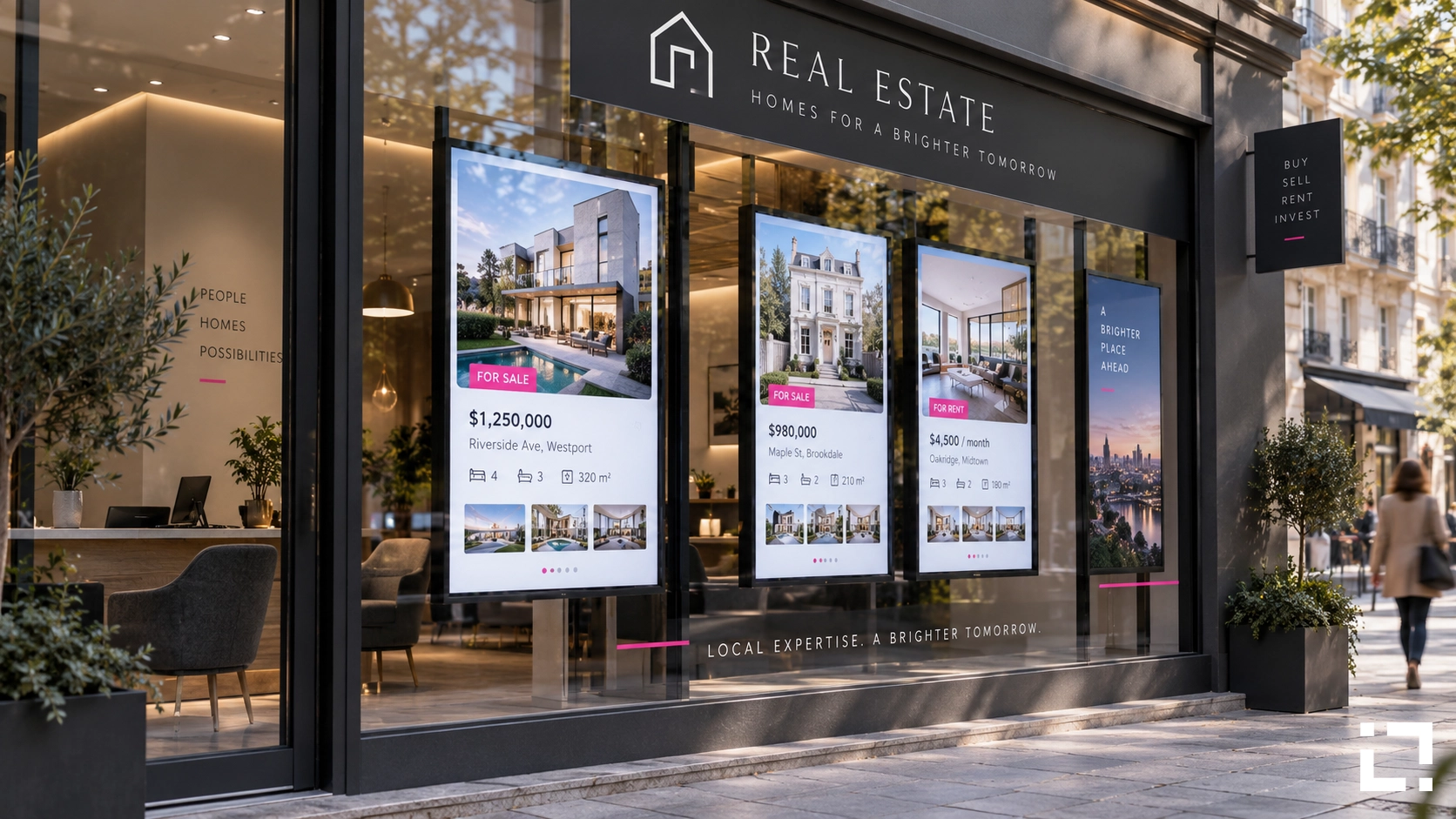
A property listed at £485,000 sells. The agency updates the CRM, marks it as sold, moves on. Three days later, a couple stops in front of the window display. They photograph the listing on the screen, walk in, and ask about it. The agent explains it sold last week. The couple leaves. That window display just wasted their time and yours.
This scenario plays out across estate agencies every week. Not because agents are careless, but because managing property listing screens manually is structurally broken. Prices change, availability changes, photos get swapped — and every change requires someone to open a design file, edit it, export it, upload it, and push it to the screen. In a busy agency, that workflow competes with actual selling.
Why Manual Listing Updates Are a Hidden Cost
The problem with manual display management is not the occasional error. It is the cumulative drag on time and attention.
A mid-size agency with two or three window screens and a rotating portfolio of 40-60 active listings might update its displays several times a week. Each update requires pulling the correct data from the MLS or internal system, reformatting it for the screen layout, checking for consistency across multiple displays, and publishing. Multiply that by every price reduction, new instruction, sale agreed, and withdrawn listing.
What looks like a fifteen-minute task per update becomes hours per week — hours spent on production work, not client work. And because the person doing it is often the one who also handles viewings, calls, and admin, the updates slip. Screens drift out of sync with the live portfolio. Sold properties stay visible. New instructions appear days late.
The display in the window is supposed to generate walk-in enquiries. When it shows stale data, it does the opposite.
What Automated Listing Sync Actually Changes
Real estate digital signage built on data automation works differently. Instead of a person manually transferring listing data to a design file, the screen pulls directly from the source — the MLS feed, a WordPress property portal, or a CRM export — and updates itself whenever the source changes.
A new listing goes live on the portal. The window display updates. A price is reduced. The screen reflects it within minutes. A property is marked sold. It either disappears from the rotation or switches to a "sold" badge automatically, depending on the rule set.
This is the operational logic behind Live Real Estate, Livesignage's vertical application for estate agencies. It connects directly to MLS feeds and WordPress-based property portals, maps listing fields to display templates, and handles the update cycle without human intervention. The agent's job is to keep the source data accurate — which they are already doing — not to manage a parallel design workflow.
Across agencies using this approach, the reduction in manual editing work is significant: teams report up to 73% fewer manual edits to display content, freeing staff to focus on client-facing activity rather than screen management.
Template Logic: How Listings Become Displays
One concern agencies raise when considering automated displays is visual quality. If the system is pulling data automatically, does the output look professional, or does it look like a database printout?
The answer depends on how the template layer is built. In Live Real Estate, the display templates are designed once — with the agency's branding, typography, image framing, and layout — and then populated dynamically with listing data. The template controls how things look. The data controls what appears.
This means a property photo, price, key features, and reference number are always placed in the right position, at the right size, with the right formatting. When a new listing enters the feed, it inherits the template. When a price changes, only the price field updates; everything else stays in place.
Agencies can maintain multiple templates for different display contexts: a large-format window display, a portrait screen inside the branch, a secondary screen showing recently sold properties for social proof. Each template connects to the same data source but presents it differently.
Multi-Branch Display Management Without the Overhead
For agencies operating across multiple locations, the coordination problem scales quickly. Each branch has its own window, its own portfolio mix, and potentially its own branding variant. Managing that centrally, without automation, means either a dedicated resource or accepting that branch displays are largely self-managed — which usually means inconsistent and outdated.
With a cloud-based platform, central teams can define templates and data rules once and deploy them across every branch. Each branch display pulls from the relevant filtered view of the portfolio — properties in that area, within a certain price range, matching the branch's specialism. The filtering logic is set in the platform; the branch team does not need to touch it.
This is where booking a demo with a Livesignage specialist makes the most practical sense — not to see a product video, but to map your specific data sources and branch structure against what the platform can automate.
Hardware compatibility is broad: Live Real Estate runs on Samsung, LG, Philips, and BrightSign players, as well as Android and Android TV devices, which means most agencies can deploy on hardware they already own or source cost-effectively.
When the Window Display Becomes a Lead Channel
The window display is the agency's highest-footfall touchpoint. It operates 24 hours a day, seven days a week, without staff. Its job is to stop someone on the street, show them something relevant, and give them a reason to walk in or make contact.
That job requires the content to be accurate, current, and visually strong. A display showing sold properties or last month's prices does none of those things. A display that updates automatically from a live feed, shows the right properties for the right audience, and rotates through current stock with professional layouts — that is a lead channel, not a maintenance burden.
Agencies that have moved from manual to automated displays report a measurable shift in walk-in quality. Prospects arrive having already seen accurate pricing and photos. The conversation starts from a more informed position. Time spent correcting mismatched expectations decreases.
Where to Start If You Manage Multiple Screens
If your agency is still managing window displays through manual design updates, the first step is not a full platform migration. It is identifying where your listing data already lives — your MLS connection, your WordPress portal, your CRM — and understanding how clean and consistent that data is. Automated display systems are only as good as the source they pull from.
Once the data source is confirmed, template design and feed connection can typically be completed in days, not weeks. Livesignage's onboarding process for Live Real Estate is structured around getting a working display live quickly, then expanding to additional branches and screen types from there.
If you want to see how automated listing sync would work with your current data setup, you can book a demo with a Livesignage specialist and walk through the configuration against your actual portfolio.