
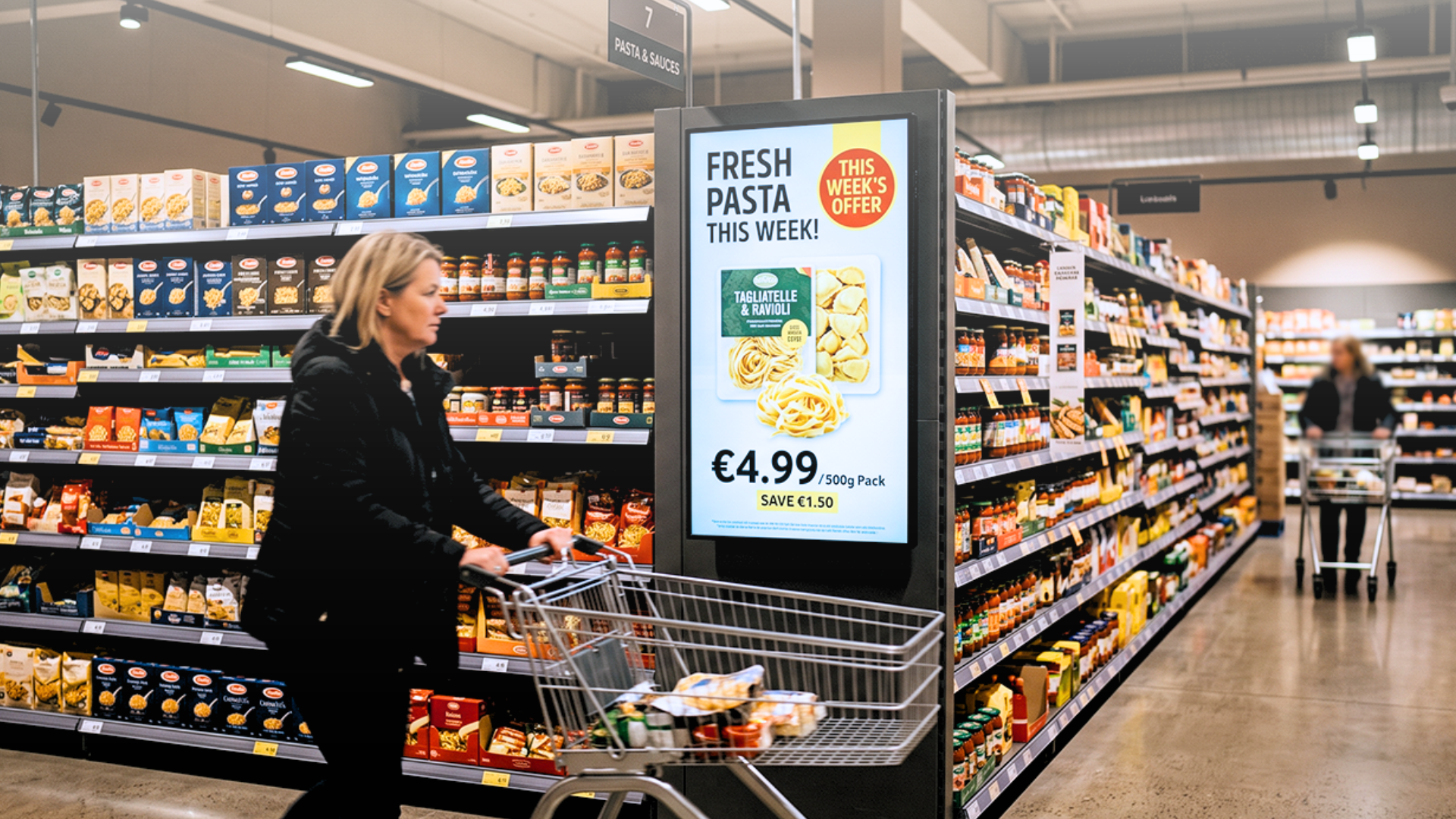
Thursday morning, a 35-store grocery chain loads a new weekend promotion (fresh pasta, 20% off) into its ERP. By Friday afternoon, roughly half the store screens are still running last week's bakery campaign. Head office starts emailing store managers. Someone goes screen by screen, store by store, updating manually. The chain finally has consistent signage across all 35 locations sometime Saturday afternoon, well after the promotion started, and well into the weekend it was meant to drive.
None of this comes down to broken hardware. The screens work fine. What's broken is the workflow that gets content onto them, and that gap is the single biggest reason grocery digital signage fails to earn its keep.
Grocery Retail Doesn't Behave Like Other Retail
Compare a supermarket to almost any other retail format and the difference is scale and speed: thousands of SKUs, prices that shift weekly or daily, promotions that rotate constantly, and a customer who moves through a large floor plan in a matter of minutes. A signage system built for slower, simpler retail — such as a boutique with 40 products and a seasonal catalog — doesn't hold up here.
Yet most grocery chains still run digital signage the way they used to run printed shelf-edge cards: someone designs a file, exports it, uploads it to a player, and sets a schedule. That workflow is fine for a single campaign on a handful of screens. It collapses once you multiply it across dozens of stores, weekly promotional cycles, and content that has to match a category shelf exactly, not approximately.
The downstream cost is predictable: signage that's a week behind the current offer, screens showing a promotion that already ended, and a shopper standing in the aisle making a decision with no help from the display next to them, at the very moment when retail media and in-store marketing are supposed to matter most.
Three Places Where Static Signage Falls Short
Wayfinding. A shopper walks in looking for one category, say, gluten-free products, and a well-placed directional screen can shorten that search and pull them past adjacent categories on the way, lifting basket size. A static image on a fixed schedule can't do this well: it doesn't know the deli counter relocated last quarter, doesn't reflect a seasonal reset of the floor plan, and needs a designer every time the store layout changes.
Promotions across multiple touchpoints. The same offer typically needs to appear in at least three places: at the entrance, at the shelf, and at the point of decision, and each of those placements has a different format and timing. If all three are built and scheduled as separate files, keeping them in sync depends entirely on someone remembering to update all three at once. If instead they all pull from one source (the ERP or the promotional calendar), they update together automatically, with no manual coordination required.
Retail media. Selling screen inventory to CPG brands is now one of the fastest-growing revenue streams for grocery retailers, but it comes with expectations: proof that a campaign actually ran, targeting by daypart or store cluster, and guarantees that a brand's ad won't sit next to a direct competitor's. A spreadsheet and a basic playlist CMS can handle two or three advertisers. They fall apart well before a retail media network reaches meaningful scale.
The Fix Is a Data Layer, Not a Nicer Template
What separates a screen that merely displays content from one that displays the correct content at the correct moment is what feeds it. Livesignage connects displays directly to the systems retailers already use (ERP, promotional calendars, spreadsheets, external product feeds) so that a price change or a live promotion propagates to the screen automatically, with the right format, placement, and timing, and without anyone touching a design tool.
That capability lives in Experience Designer, a no-code engine for building conditional content logic: show the breakfast promotion between 7 and 10 a.m.; swap in a substitute product the moment stock on the featured item drops below threshold. None of this requires a development project; a marketing or operations team can configure it directly.
The practical effect is a screen network that runs as one coordinated system, not a collection of individually managed displays.
Digital Notice Board: Closing the Gap Between HQ and the Shop Floor
Livesignage's Live Billboard digital notice board addresses a narrower but persistent problem in grocery: getting operational and promotional updates out to a store network without funneling every single change through a central content team. In practice, that means a produce manager posting today's fresh arrivals from a tablet, a store manager pushing a staff notice, and a head-office team publishing a campaign to 40 stores at once, with each store's own name and local pricing pulled automatically from a data feed rather than built by hand for every location.
For large grocery networks, the lag between what head office decides and what actually appears on the shop floor is usually the biggest source of stale signage. Live Billboard compresses that lag while leaving oversight where it belongs, at the center.
Retail Media Only Works If You Can Prove It Ran
Selling screen space is the easy part of a retail media network; delivering campaigns and proving that they ran as planned is where most platforms struggle. Brand partners want confirmation of which stores ran their creative, during which hours, and next to what.
Livesignage's scheduling and reporting layer gives retail media teams that confirmation: delivery tracking, visibility into underperforming placements, and the ability to run several brand partners on one network without conflicts, including rules that keep two competing products from ever appearing in the same screen slot at the same time. It's a basic requirement, but one that most general-purpose CMS platforms don't handle well once volume increases.
Where grocery retailers have connected screen content directly to their CRM and promotional systems, the effect on in-aisle conversion has been substantial in reported deployments, illustrating the difference between a screen that is merely decorative and one that actively influences what shoppers put in their cart.
Screens Are Not the Bottleneck — Software Is
Most grocery retailers already have the hardware a modern signage strategy needs: Samsung or LG commercial displays, Android media players, cabling already run. What's usually missing is the software layer that decides, moment to moment, what those screens show.
If every content update still needs a designer, the system won't scale past a handful of stores. If your promotional calendar lives in one system and your screen content in another, the two will drift out of sync — it's only a matter of time. And if retail media partners can't get proof their campaigns ran, they won't come back for a second contract.
FAQ
How does digital signage connect to an ERP system? Through a data integration (an API, a live spreadsheet feed, or a direct database connection) so that a price or promotion change made in the ERP shows up on screen automatically, without anyone re-uploading content by hand.
What is a grocery retail media network? It's the practice of selling in-store screens (and sometimes other in-store touchpoints) to brand partners as an advertising channel, typically backed by reporting that shows where and when a campaign ran so the retailer can justify the media spend.
Can digital signage update pricing automatically? Yes, provided the displays draw from the same data source as the price management system. Once that connection exists, price and promotional content update on screen the moment the source data changes.
Talk to Livesignage
If your promotional calendar and your screen network are still two separate systems, or your retail media partners are asking for proof of delivery you can't easily produce, it's worth seeing what a data-connected signage setup looks like in practice. You can book a demo with a Livesignage specialist to walk through Experience Designer and Live Billboard in a grocery retail context, and to see what it would take to connect your existing screens to the data you already have.