
A visitor arrives at a national park entrance at 9:15 on a Saturday morning. The printed trail map at the welcome desk is from last season. The ranger station has a queue. The QR code on the signpost leads to a PDF. By the time the visitor finds a useful route, twenty minutes have passed and the mood has shifted.
This is not an edge case. It is the standard experience at most visitor centers, museums, and city welcome points worldwide. The information exists. The problem is that it is static, disconnected, and impossible to update in real time across multiple touchpoints. A tourist information kiosk should solve exactly this — but only if it is built to handle live data, not just display a brochure on a screen.
Why Most Destination Kiosks Underperform
The majority of interactive tourism totems installed over the past decade share a structural weakness: they were designed as display devices, not as information systems.
Content is uploaded manually. Maps are images, not live layers. Points of interest are hard-coded. When an exhibition closes early, when a trail is temporarily blocked, when a restaurant changes its hours — the kiosk still shows the old information. Staff must log in to a backend, find the right file, replace it, and republish. At a network of 30 kiosks across a city, that process takes hours and often does not happen at all.
The result is a device that visitors learn not to trust. Interactive touchscreens increase engagement by up to 33% when the content is accurate and responsive. When it is not, the kiosk becomes part of the background.
What a Live Tourist Information Kiosk Looks Like in Practice
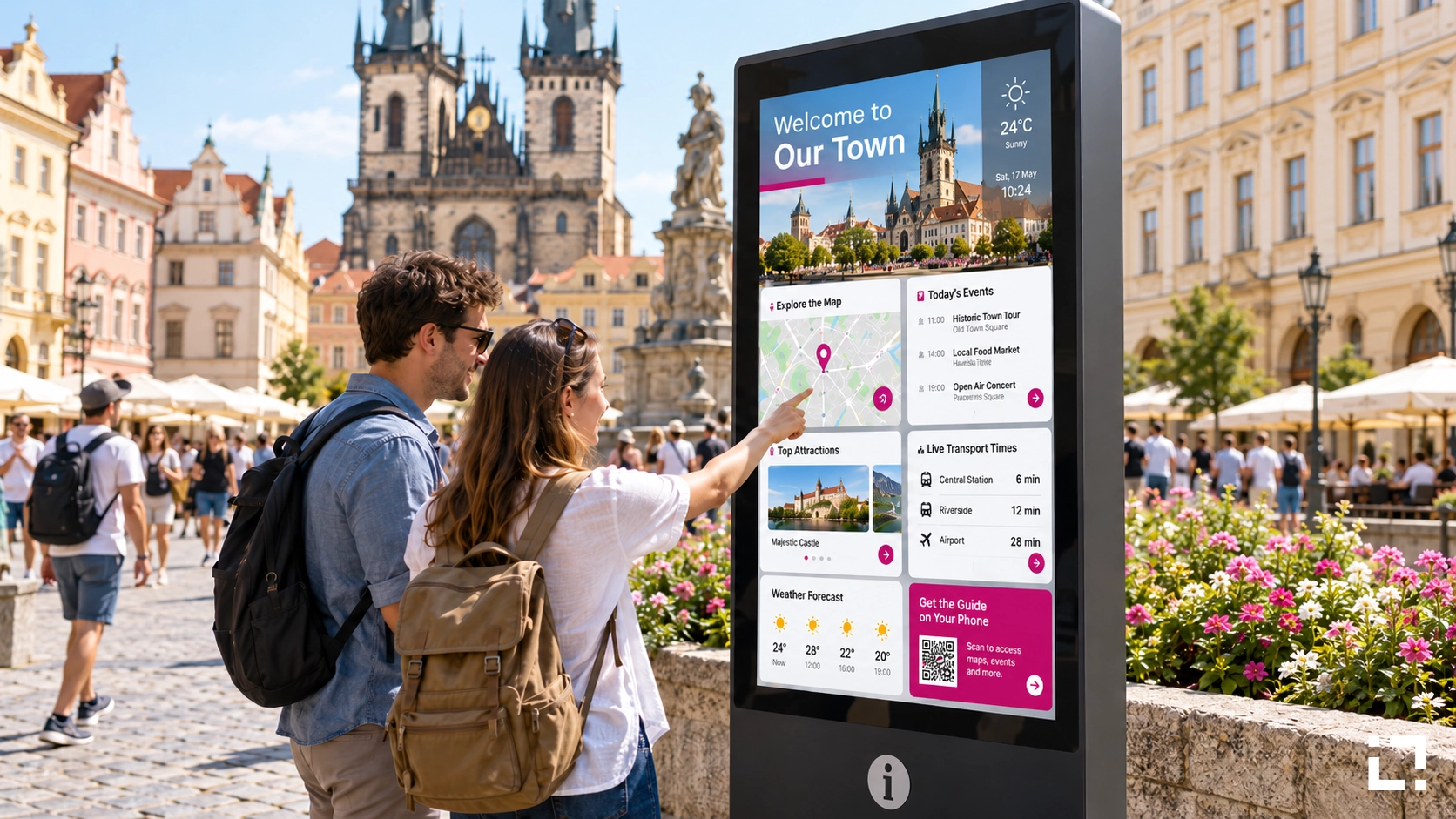
Live Tourist, the Livesignage vertical application for tourism and destination management, is built around a different logic. The kiosk is not a static display with a touch layer on top. It is a live interface connected to the data that defines the visitor experience: maps, itineraries, points of interest, event calendars, transport schedules, accessibility information, and real-time alerts.
When a museum changes its temporary exhibition schedule, the kiosk updates automatically. When a city park closes a section for maintenance, the map reflects it. When a local event starts in two hours, it appears in the itinerary suggestions for visitors who check in at that moment.
The content engine pulls from the sources already in use by the destination manager — calendars, CMS platforms, spreadsheets, or third-party databases — and surfaces it through a consistent, branded interface on every kiosk in the network. No manual republishing. No version mismatches between the kiosk at the main entrance and the one at the secondary gate.
Mobile Continuity: When the Visit Continues Past the Screen
One limitation of a fixed kiosk is obvious: the visitor moves, the screen does not. Live Tourist addresses this with a mobile continuity feature that transfers the itinerary or map selection directly to the visitor's smartphone.
The interaction is simple. A visitor builds a route on the totem — selecting three museums, a lunch stop, and a viewpoint — and then scans a QR code or taps an NFC point to carry that route on their phone. No app download required. The experience continues on mobile, with the same points of interest, the same real-time updates, and the same contextual information.
This is the gap most visitor center displays never close. The kiosk becomes the starting point of the visit, not a one-time touchpoint. Across deployments where this continuity layer has been active, visitor engagement with curated itineraries increased by 85% compared to static map displays — a figure that reflects not just more taps, but longer time-on-site and higher satisfaction scores from post-visit surveys.
Multi-Language and Accessibility Without Duplication
Tourism destinations serve international audiences. Managing content in eight languages on a traditional kiosk system means maintaining eight parallel versions of every piece of information. When something changes, it must be updated eight times.
Live Tourist handles language as a presentation layer, not a content duplication problem. The underlying data is single-source. Language selection at the kiosk — or automatic detection based on browser or device language when continuing on mobile — applies the correct translation without requiring separate content trees. Accessibility modes, including larger text, audio narration, and high-contrast display, operate on the same principle.
For a city managing 15 tourist information kiosks across different districts, this architecture reduces the editorial workload significantly. A single update to a point-of-interest description propagates across all languages and all devices in the network simultaneously.
Where Live Tourist Fits in a Destination Technology Stack
Live Tourist is not a standalone product that replaces existing destination management systems. It is designed to connect with them. The platform integrates with the data sources destination managers already maintain — ticketing systems, event management platforms, municipal open data feeds, and property management systems for accommodation listings.
This is the relevant distinction for IT managers and smart city operators evaluating vendor options. The question is not only "does the kiosk display maps?" but "does it stay current without requiring a dedicated content team to maintain it?" The answer depends entirely on how the underlying data pipeline is built.
Livesignage, recognized as a 3x Digital Signage Awards Winner (2024, 2025, 2026), built Live Tourist specifically for destinations that need to operate at scale — multiple sites, multiple languages, multiple data sources — without proportionally scaling the administrative overhead.
For destinations using Samsung, LG, or BrightSign hardware already deployed across their visitor centers, Live Tourist runs natively on certified devices, which simplifies procurement and reduces integration risk.
When to Replace a Static Kiosk Network
The clearest signal that a tourist information kiosk network needs to be replaced or upgraded is not hardware age. It is content latency — the gap between when information changes in the real world and when it appears on the screen.
If that gap is measured in hours or days, the kiosks are operating as digital brochures. Visitors who encounter outdated information at a kiosk are less likely to use it again during the same visit, and the investment in hardware and installation delivers a fraction of its potential value.
The second signal is the absence of mobile continuity. A visitor who cannot carry the experience beyond the screen is a visitor whose journey the destination cannot influence past the first five minutes.
If either of these conditions describes your current setup, the architecture — not the hardware — is the problem worth solving first.
If you manage a network of tourist information kiosks and want to see how Live Tourist handles live data, multi-language content, and mobile continuity across a real destination deployment, you can book a demo with a Livesignage specialist.